How to Check SASSA Distribution Grant Dates 2026
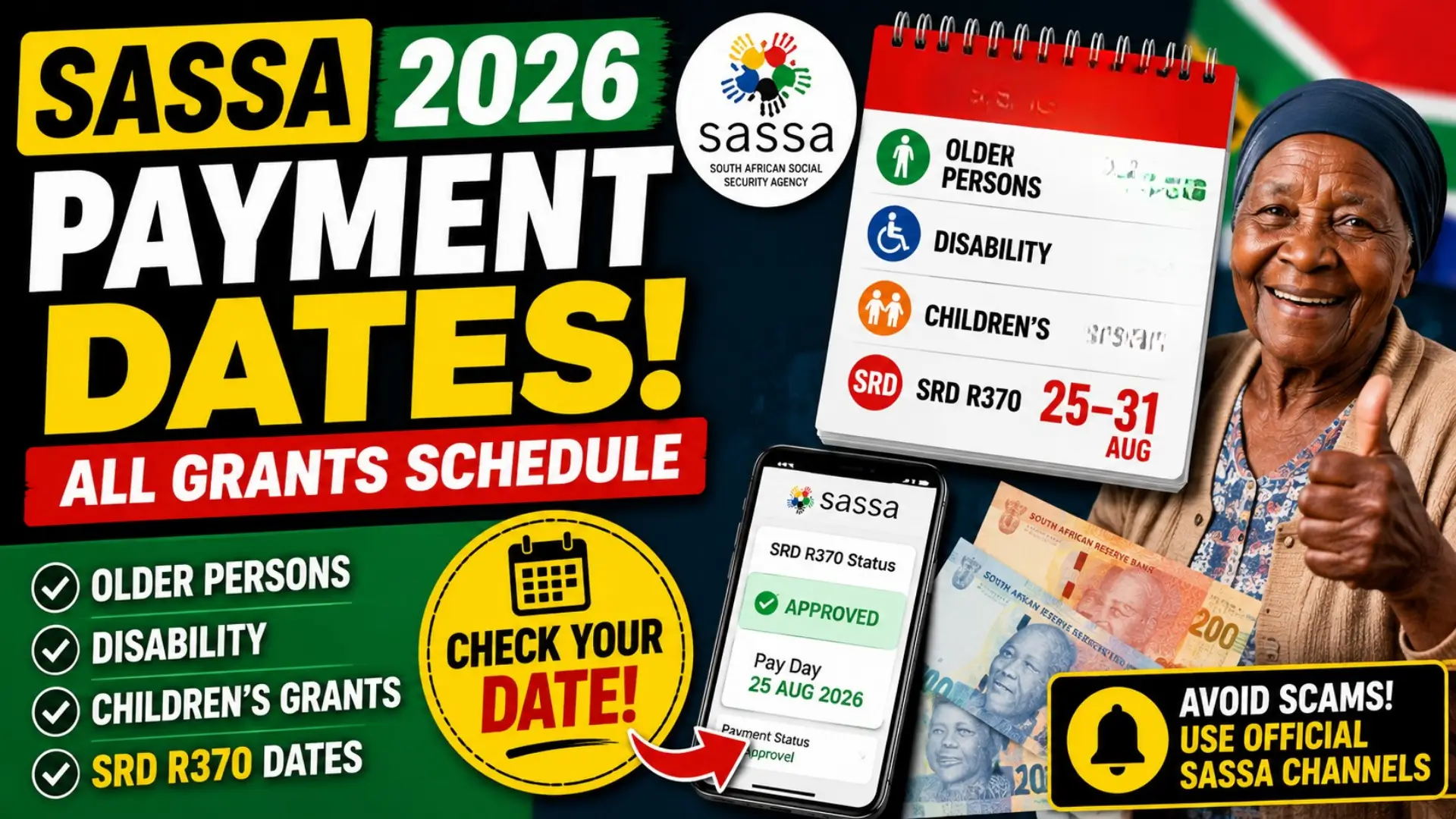
If you receive a SASSA grant, knowing your payment date can help you plan your monthly expenses, avoid unnecessary trips to payment points and check quickly if your money has been delayed. SASSA payment dates are generally arranged by grant type, with Older Persons, Disability and Children’s grants paid on different days.
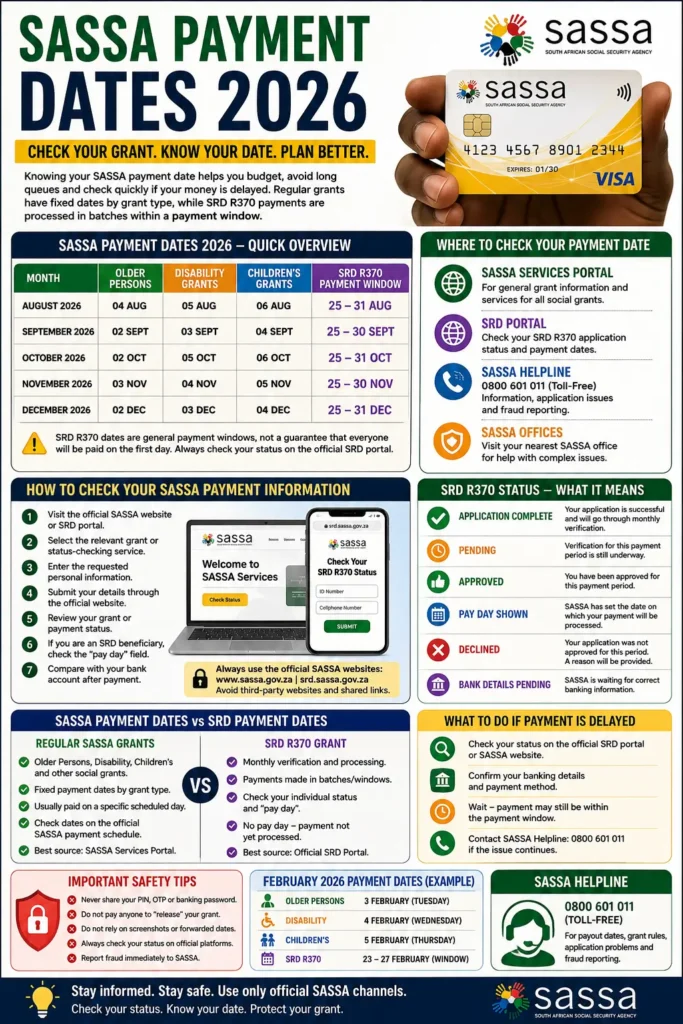
For 2026, beneficiaries should also understand the difference between the regular social grant schedule and the SRD R370 payment cycle. Regular grants have specific payment dates, while SRD payments are processed in batches and can fall within a payment window. SASSA’s official services provide grant information, while the SRD portal allows beneficiaries to check their individual payment status.
SASSA Payment Dates 2026
The following schedule covers the 2026 dates provided in the supplied payment information. The dates for regular grants are easier to follow because each category has its own scheduled day. SRD R370 dates should be treated differently because the payment window can vary and the individual payment date shown on the official SRD system is more important than a general calendar.
| Month | Older Persons | Disability | Children’s | SRD R370 |
|---|---|---|---|---|
| August 2026 | 04 Aug | 05 Aug | 06 Aug | 25–31 Aug |
| September 2026 | 02 Sept | 03 Sept | 04 Sept | 25–30 Sept |
| October 2026 | 02 Oct | 05 Oct | 06 Oct | 25–31 Oct |
| November 2026 | 03 Nov | 04 Nov | 05 Nov | 25–30 Nov |
| December 2026 | 02 Dec | 03 Dec | 04 Dec | 25–31 Dec |
Important: The SRD R370 dates shown above are general payment windows rather than a guarantee that every approved beneficiary will receive payment on the first day of that window. SASSA’s SRD system specifically uses the “pay day” field to indicate when an approved payment has been processed.
You can also read: SASSA Status Check SRD R370 Payment Dates
How to Check SASSA Grant Payment Dates Online
The easiest way to stay updated is to use SASSA’s official online services rather than relying on social media posts or unofficial payment-date websites. The official SASSA Services portal provides information about different grant types and allows registered users to access relevant services.
For SRD R370 beneficiaries, the process is slightly different because you need to check the status for the relevant payment period. The official SRD website provides the status service and explains that approved applicants should look at the pay day field to determine whether a payment has been processed.
Steps to Check Your SASSA Payment Information
Follow these basic steps:
- Open the official SASSA website or the official SRD portal.
- Choose the relevant grant or status-checking service.
- Enter the requested personal information.
- Submit the details through the official website.
- Review your grant or payment status.
- If you are an SRD beneficiary, check whether a pay day is displayed.
- Compare the information with your bank or payment account after the payment has been processed.
Always make sure you are using an official SASSA website. SASSA warns beneficiaries about grant-related fraud and provides its toll-free number, 0800 601 011, for information about payout dates, grant rules, application issues and suspected fraud.
How to Check SRD R370 Payment Dates 2026
The SRD R370 grant does not work exactly like the Older Persons, Disability or Children’s grants. Instead of assuming that everyone will receive the money on one fixed date, beneficiaries should check their status for the particular month.
According to SASSA’s official SRD information, an “Approved” status means the application has been approved for that period. Beneficiaries should then check the pay day field. If no pay day is displayed, SASSA says that payment has not yet been processed.
What Different SRD Statuses Mean
Your status can provide useful information about what is happening with your payment:
- Application Complete: Your application has been successfully completed and will go through monthly verification.
- Pending: Verification for the relevant period has not yet been completed.
- Approved: You have been approved for that payment period.
- Pay Day Shown: SASSA has provided the date on which the payment is scheduled or processed.
- Declined: The application was not approved for that period and a reason should be provided.
- Bank Details Pending: SASSA has not received the required banking information. If your SRD application is approved but there is no pay day yet, it does not necessarily mean that your grant has been cancelled. The official status information says that no pay day means payment has not yet been processed.
What to Do If Your SASSA Payment Has Not Arrived
A payment not appearing immediately does not always mean there is a problem. For regular grants, first compare your payment with the official schedule and check your bank or payment account. For SRD R370, check the individual payment status because the payment cycle is handled separately.
If the official status indicates that your payment has been approved but you still cannot access the money, review your banking information and payment status before contacting SASSA. SASSA also advises beneficiaries to check their balances and report unexplained discrepancies to their bank.
Common Reasons for a Delayed Payment
Possible reasons can include:
- The payment has not yet been processed.
- Your SRD verification is still pending.
- Banking details need attention.
- A payment was processed but has not yet reflected in your account.
- Your application was declined for the relevant month.
- There is an issue requiring further verification.
For SRD beneficiaries, the most useful first step is therefore to check the status for the specific month rather than relying only on a general payment calendar.
You can also read: South Africa Digital Banking Losses
SASSA Payment Dates vs SRD Payment Dates
One of the most common mistakes is treating all SASSA grants as if they follow the same payment system. Regular social grants generally have scheduled dates for different categories, while SRD beneficiaries need to pay closer attention to the monthly status and pay-day information.
SASSA’s official services list several regular grant categories, including Older Persons, Child Support, Foster Child, Disability, Care Dependency and Grant-in-Aid.
| Feature | Regular SASSA Grants | SRD R370 |
| Payment method | Scheduled grant payment | Monthly processing |
| Date checking | Grant payment schedule | Individual status |
| Payment window | Usually specific scheduled day | Can be a batch/window |
| Important status | Grant/payment information | Approval + pay day |
| Best source | SASSA Services | Official SRD portal |
Important Safety Tips for SASSA Beneficiaries
Payment dates are frequently shared on Facebook, WhatsApp, TikTok and other platforms. However, an unofficial post should never be treated as confirmation that your individual payment has been processed. SASSA’s official channels should remain your primary source for grant information.
You should also be careful when withdrawing cash. SASSA advises beneficiaries to be alert around ATMs, protect their cards and cash, check their balances and report suspicious transactions to their bank immediately.
Avoid These Common Mistakes
- Do not share your PIN with another person.
- Do not give your banking password or OTP to someone claiming to be a SASSA official.
- Do not pay someone simply to “release” your grant.
- Do not rely on a screenshot of a payment date as proof of payment.
- Always check your own status through an official SASSA platform.
- Report suspected grant fraud through the official SASSA channels.
Where to Get Official SASSA Information
The safest approach is to use SASSA’s official online services for general grant information and the official SRD portal for SRD-related status checks. The SASSA Services portal contains information about different grant categories, while the SRD website handles SRD-specific application and status information.
Official resources:
- SASSA Services Portal — General SASSA services and grant information.
- Official SASSA SRD Portal — SRD R370 applications and related information.
- SASSA Help & FAQs — Official guidance, payout-date information and fraud reporting.
FAQs
How can I check my SASSA payment date?
For regular grants, check the official SASSA payment schedule for your grant category. For SRD R370, use the official SRD status service and look for the payment-period status and pay day.
Does an SRD R370 approved status mean I have been paid?
No. An approved status means you have been approved for the relevant payment period. SASSA’s official guidance says beneficiaries should check the pay day field to see when the payment has been processed.
Why does my SRD payment have no pay day?
If your application is approved but no pay day is displayed, SASSA’s status guidance indicates that a payment has not yet been processed. Check the status again later through the official SRD platform.
Can SASSA payment dates change?
Yes. Payment schedules can be adjusted, particularly around weekends, public holidays or administrative processing. For this reason, beneficiaries should confirm dates through official SASSA information rather than relying on an old calendar.
What is the SASSA helpline?
SASSA’s official FAQ lists the toll-free helpline as 0800 601 011. It can be used for information about payout dates, grant qualification, application problems and reporting suspected fraud or corruption.
Final Thoughts
Checking your SASSA Distribution Grant Dates 2026 is straightforward, but the correct method depends on the type of grant you receive. Older Persons, Disability and Children’s grants generally follow scheduled payment dates, while SRD R370 beneficiaries should check their monthly status and pay-day information.
You can also read: SASSA SRD WhatsApp Number
For the most reliable information, use the official SASSA Services portal and SRD website instead of depending on forwarded messages or unofficial calendars. If your payment is delayed, check the status first, confirm your banking information and contact SASSA through its official channels when necessary. This simple approach can help you avoid confusion, scams and unnecessary visits to SASSA offices.