NSFAS Status Check 2026 & Check Login and Registration Method
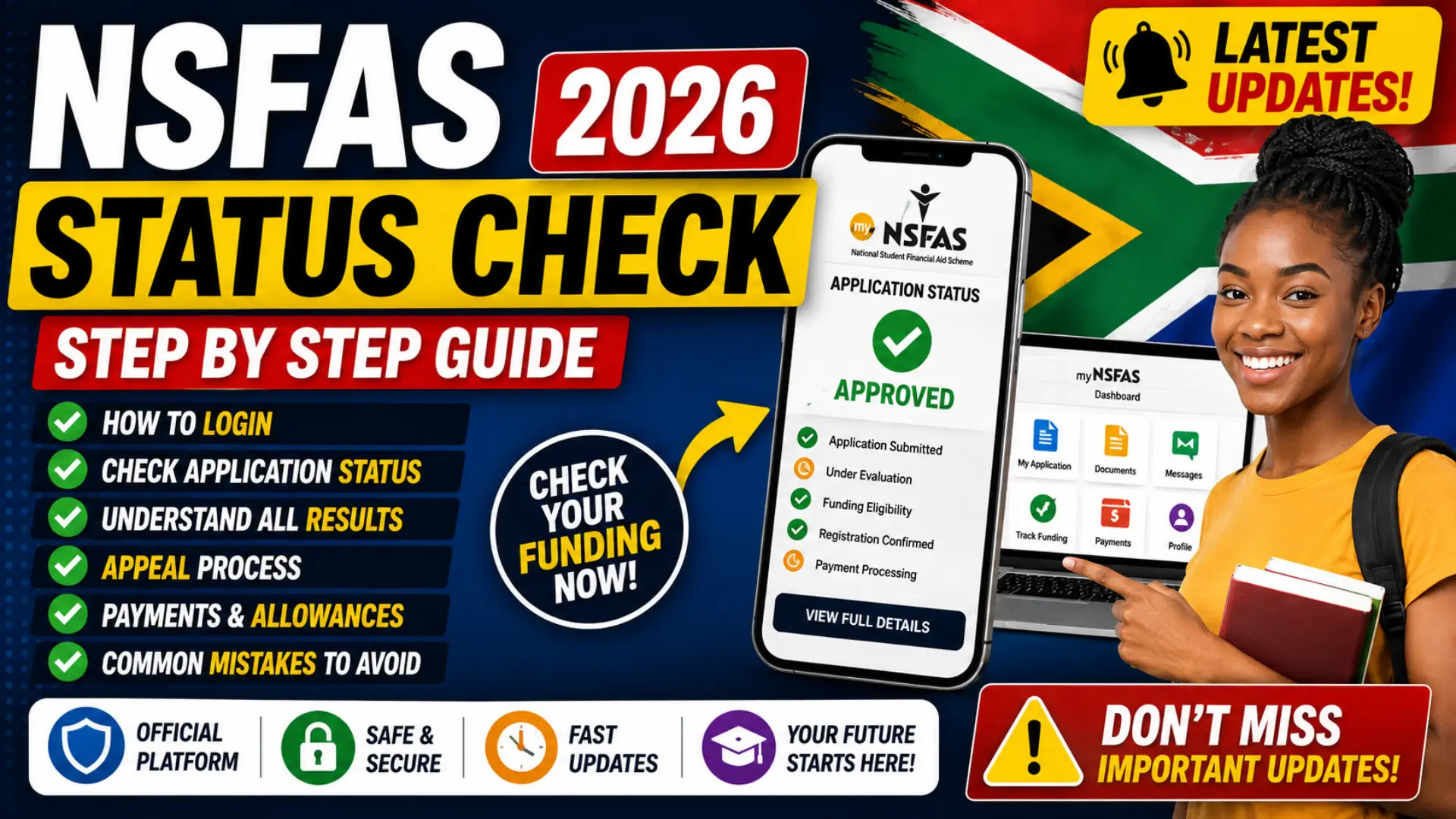
NSFAS status check is one of the most important things South African students need to do after submitting an application for financial aid. Once your application is submitted, your myNSFAS account becomes the main place to monitor whether your information is being processed, whether additional documents are required, and whether you qualify for funding.
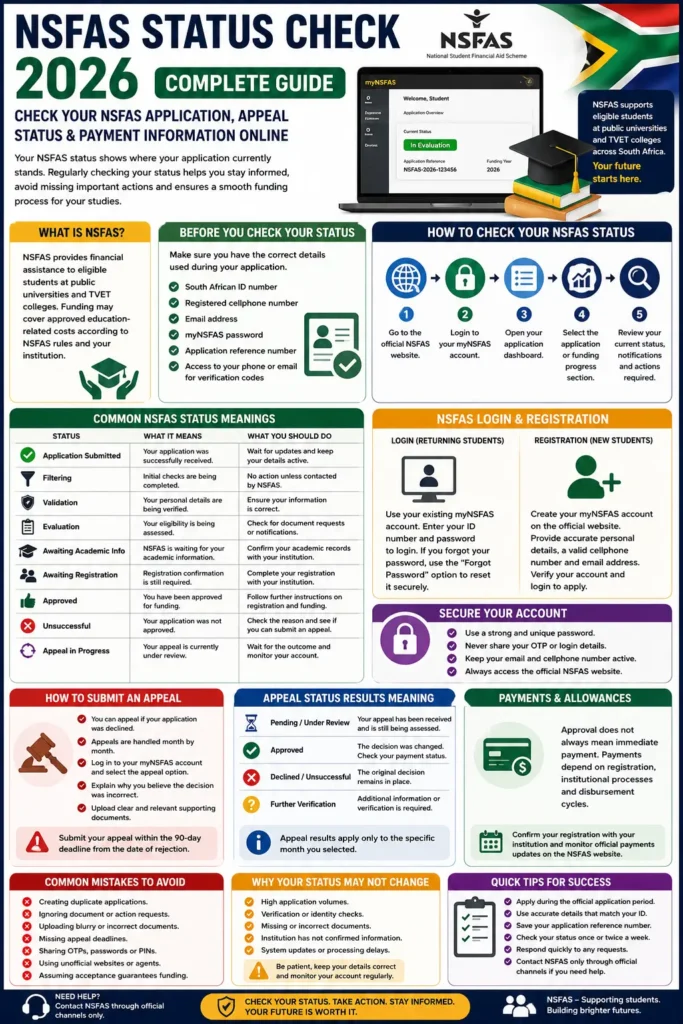
Waiting for an update can be stressful, especially when your studies depend on financial support. The good news is that checking your NSFAS application status in 2026 is straightforward when you use the official myNSFAS portal and understand what each status means. This guide explains the NSFAS status check, login and registration methods, common application stages, appeal options, payment information, and practical steps to take when something goes wrong.
What Is NSFAS and Why Does Your Status Matter?
The National Student Financial Aid Scheme, commonly known as NSFAS, provides financial assistance to eligible students studying at public universities and TVET colleges in South Africa. Funding may cover approved education-related costs depending on the student’s eligibility, funding rules, and institution. Because applications go through several verification stages, an application is not simply approved immediately after submission.
You can also read: E-Life Certification Portal Sassa Details
Your NSFAS status shows where your application currently stands. It can tell you whether your details are being verified, whether your application is under evaluation, whether your institution still needs to provide information, or whether you need to take action. Regularly checking your status helps you avoid missing an important document request, registration update, or appeal deadline.
NSFAS Status Check 2026: What You Need Before Checking
Before logging into the portal, make sure you have access to the information linked to your application. Using the same details you provided during registration is important because incorrect information can prevent you from accessing your account or receiving verification codes.
Keep the following information available:
- Your South African ID number or relevant identification details used during registration.
- The cellphone number registered on your myNSFAS account.
- Your email address linked to the application.
- Your myNSFAS password.
- Your application reference number, if one was issued.
- Access to your email or phone for verification codes.
If you no longer have access to your registered cellphone number or email address, use the official account recovery options or contact NSFAS through its verified support channels. Avoid giving your login details or one-time PINs to anyone claiming they can speed up your application.
How to Do an NSFAS Status Check Through myNSFAS Login
The myNSFAS portal is the main official platform for checking your application progress. After logging in, you can normally view your application information, notifications, outstanding requirements, and the latest available funding decision.
Follow these steps to check your status:
- Open the official NSFAS website.
- Select the myNSFAS login option.
- Enter your registered ID number or account credentials.
- Enter your password and complete any required verification.
- Open your application dashboard.
- Select the application or funding progress section.
- Review your current status and check for notifications or action requests.
Always confirm that you are using the genuine NSFAS website before entering your personal details. Fake websites and social media accounts may copy official branding, so avoid clicking login links from suspicious messages.
NSFAS Login Method for Returning Students
Returning students should generally use their existing myNSFAS account rather than creating multiple profiles. Creating duplicate accounts or submitting repeated applications without a valid reason can cause confusion and may delay the processing of your information.
After logging in, check whether your application is automatically progressing or whether the system requires updated information. Returning students may still need to meet academic progression requirements, registration requirements, and other funding rules applicable to the relevant academic year.
How to Register for NSFAS in 2026
If you are a first-time applicant and do not already have a myNSFAS account, you must create a profile before completing an application during the official application period. Your personal details should match your official identity documents to reduce the risk of verification problems.
The basic registration process usually includes:
- Visiting the official NSFAS website.
- Selecting the option to create a myNSFAS account.
- Entering your ID number and personal information.
- Providing an active cellphone number and email address.
- Creating a strong and secure password.
- Completing the required verification process.
- Logging in to continue with your application when the relevant application period is open.
Use a cellphone number and email address that you can personally access. Important verification messages, application notices, and account recovery instructions may be sent through these channels.
How to Reset Your myNSFAS Password
Forgetting a password is a common problem, particularly if you only log in occasionally. Do not repeatedly guess your password because multiple failed attempts may temporarily limit access to your account.
You can also read: SRD Sassa E-life Certification Portal Details
Instead, use the password recovery option on the official myNSFAS login page. Follow the instructions, verify your identity through the registered contact method, and create a new password that is difficult for others to guess but easy for you to remember.
Understanding NSFAS Status Check Results
Your NSFAS application may move through different stages before a final funding outcome is reached. The exact wording can change depending on the application cycle and the type of student, so always read the full message shown in your own myNSFAS dashboard.
A status that has not changed for several days or weeks does not automatically mean that something is wrong. NSFAS may need to verify identity information, household financial information, academic details, admission records, or registration data before the next stage can be completed.
Common NSFAS Status Meanings
| NSFAS Status | What It Generally Means | What You Should Do |
|---|---|---|
| Application Submitted | Your application was received by NSFAS. | Keep checking for updates and requests. |
| Filtering | Initial checks are being completed. | Ensure your contact details remain active. |
| Validation | Your personal information is being checked against relevant records. | Wait unless NSFAS requests action. |
| Evaluation | Your eligibility and supporting information are being assessed. | Check notifications for document requests. |
| Funding Eligibility | Financial eligibility checks have progressed successfully. | Continue monitoring for academic or registration updates. |
| Awaiting Academic Information | NSFAS may be waiting for results or institutional information. | Confirm your academic information with your institution if needed. |
| Awaiting Registration | Registration confirmation may still be required. | Complete institution registration on time. |
| Approved | A positive funding decision has been recorded. | Follow further instructions regarding registration and funding. |
| Unsuccessful | Your application was not approved based on the decision shown. | Review the reason and check whether an appeal is available. |
| Appeal in Progress | Your appeal is under review. | Monitor the portal and avoid duplicate submissions. |
The message on your personal dashboard should always be treated as the most relevant information for your case. Do not rely only on screenshots shared by other students because application outcomes and requirements can differ.
NSFAS Status Check for University Students
University students should monitor both their NSFAS application and their institution’s registration process. An NSFAS decision alone does not always mean that every administrative step at the university has been completed, especially where registration confirmation or academic information is still required.
If your NSFAS status remains at a stage related to academic or registration confirmation, contact the university’s financial aid or student administration office. The institution may need to submit or correct information before the application can move forward.
NSFAS Status Check for TVET College Students
TVET college students may have different academic calendars, application periods, and registration arrangements compared with university students. For this reason, the timing of status updates can vary between students even when they applied during a similar period.
Keep your myNSFAS account details updated and follow instructions from your specific college. If the status indicates that academic or registration information is outstanding, confirm directly with the TVET college whether your details have been correctly submitted.
What Happens if Your NSFAS Status Says Unsuccessful?
An unsuccessful status means that NSFAS has made a negative decision based on the information and eligibility requirements considered for your application. The first step is to read the reason carefully rather than immediately submitting a new application or relying on advice from unofficial social media pages.
You can also read: Sassa E-Life Certification Portal Online
Possible reasons can relate to eligibility, financial information, academic requirements, institutional information, or documentation. If you believe the decision is incorrect, check your myNSFAS account for an appeal option and carefully review the instructions and deadlines for the relevant application cycle.
How to Submit an NSFAS Appeal
An appeal should be submitted only through the official process when the option is available and when you have a valid reason supported by evidence. Simply disagreeing with a decision is usually not enough; your appeal should clearly explain why the information or circumstances used in the original decision should be reconsidered.
Before submitting an appeal, prepare the strongest available supporting documents. These may include updated financial information or other evidence relevant to the appeal reason. Submit the information within the official deadline because appeal windows can close, and late submissions may not be accepted.
NSFAS Appeal Best Practices
Keep your appeal focused and accurate:
- Read the rejection reason carefully before choosing an appeal category.
- Upload clear and current supporting documents.
- Make sure names, ID numbers, and relevant details are correct.
- Explain any genuine change in circumstances clearly.
- Do not submit multiple duplicate appeals.
- Check your myNSFAS account regularly after submission.
- Follow the deadline shown for your specific application cycle.
A strong appeal is based on correct information and supporting evidence. Avoid uploading unrelated documents simply because you want to provide more files.
NSFAS Allowance and Payment Status
Students often assume that an approved NSFAS status means money will immediately appear in an account. In reality, allowance processing can depend on registration confirmation, institutional processes, approved funding conditions, and the payment or disbursement arrangements applicable to the institution.
If your application shows approved but you have not received an expected allowance, first confirm your registration status with your university or TVET college. You should also check the official NSFAS communication relevant to your institution rather than relying on general payment dates circulating on social media.
Why Your NSFAS Status Has Not Changed
A delayed status update can happen for many reasons. High application volumes, verification checks, missing documents, identity mismatches, and delays in receiving information from institutions can all affect how quickly an application moves.
You can also read: E Life Certification Self Service Portal
Before assuming there is a problem, check the notifications area of your myNSFAS account and confirm that your email address and cellphone number are active. If the portal specifically requests action, complete that request as soon as possible using clear and correct information.
Common NSFAS Login and Status Problems
Most NSFAS account issues are technical or verification-related and can often be resolved without creating a new account. Always try official recovery options first before registering again.
Common problems include:
- Forgotten password: Use the official password reset option.
- Incorrect ID details: Enter your information exactly as registered.
- No verification code received: Check network coverage, spam folders, and the registered contact details.
- Portal loading slowly: Try again later during a less busy period.
- Status not changing: Check for pending verification or institutional information.
- Documents rejected: Review the requested format and upload clear copies.
- Old phone number: Use official account support to update access details where permitted.
Do not pay a third party to access your account or promise a faster approval. Your application decision is based on official processes, not on an agent’s ability to change the status.
Important Mistakes to Avoid During NSFAS Status Checks
One of the biggest mistakes is checking your status through unofficial websites that collect personal information. Your ID number, password, verification code, and other account details should be treated as private information.
You should also avoid these common mistakes:
- Creating duplicate applications unnecessarily.
- Ignoring messages requesting additional information.
- Uploading blurry or incomplete documents.
- Missing an official appeal deadline.
- Sharing your password or one-time PIN with another person.
- Using a cellphone number that you cannot access.
- Assuming an institution’s acceptance automatically guarantees funding.
- Believing unverified social media claims about automatic approval or payment dates.
A few minutes spent checking official information can prevent serious account and application problems later.
Practical Tips for a Successful NSFAS Application
The best way to avoid unnecessary delays is to prepare before you apply. Keep your identity and contact details accurate, save copies of important documents, and check official notices throughout the application process.
Good habits include:
- Apply during the official application period.
- Use accurate information that matches your official documents.
- Keep your email address and cellphone number active.
- Save your application reference information.
- Check your dashboard regularly without repeatedly refreshing it.
- Read every notification before taking action.
- Keep copies of submitted documents.
- Follow up with your institution about registration-related delays.
Checking once or twice a week is often enough unless NSFAS has specifically asked you to take urgent action. Constantly refreshing the portal will not make the application move faster.
How Often Should You Check Your NSFAS Status?
For most students, checking the myNSFAS portal once or twice a week is a practical approach. During major application, registration, or appeal periods, you may want to check more frequently because deadlines and action requests can be time-sensitive.
You should check immediately after receiving an official SMS or email from NSFAS, especially if the message indicates that additional documents or verification are required. Always confirm unexpected messages by logging into your account directly instead of clicking unknown links.
How to Keep Your myNSFAS Account Secure
Your myNSFAS account contains important personal and financial information, so account security should be taken seriously. Use a unique password and never share verification codes with friends, agents, or people claiming to represent NSFAS.
For better protection:
- Use a strong password that is not used on other accounts.
- Keep your registered email and cellphone number secure.
- Never share one-time PINs.
- Log out when using a public computer.
- Avoid saving your password on shared devices.
- Access the portal by typing or bookmarking the official website.
- Be cautious of messages promising guaranteed approval.
NSFAS funding applications do not require students to pay unofficial agents for approval. Be suspicious of anyone asking for money in exchange for changing your application outcome.
You can also read: SASSA Status on Moya App Step by Step
FAQs
Can I Check My NSFAS Status Using My ID Number?
Your South African ID number is an important part of accessing your myNSFAS account and verifying your identity. However, you should use the official login or tracking process available for your specific application cycle rather than entering your ID number on unofficial status-check websites. If you have forgotten your login details, use the official account recovery process. Never send your full ID number, password, or verification code to an unknown person on WhatsApp or social media.
Why Is My NSFAS Status Still on Evaluation?
An evaluation status generally means that NSFAS is still assessing information connected to your application. This can include financial eligibility, supporting documents, or other required verification.
If no action is requested, the best approach is usually to wait and monitor your account. If the status remains unchanged for an extended period and there is a clear problem affecting your registration, contact NSFAS or your institution through official support channels.
Can I Appeal an Unsuccessful NSFAS Application?
If the official appeal option is available for your application outcome, you may be able to submit an appeal within the relevant deadline. Your dashboard should provide the applicable instructions and available appeal process.
Do not wait until the last day to prepare an appeal. Collect the correct evidence first, make sure documents are readable, and submit only information that supports the specific reason for reconsideration.
Does NSFAS Approval Mean Payment Is Immediate?
Not necessarily. Payment and allowance processing can depend on additional steps, including confirmation of registration and the payment arrangements used by the institution or relevant disbursement system.
If there is a delay, confirm your registration details with your university or TVET college and review official NSFAS notices. Avoid relying on unverified payment schedules shared in student groups.
What Should I Do If I Cannot Log In to myNSFAS?
Start by using the official password reset process. Check whether you still have access to the registered cellphone number and email account needed for verification.
Do not create multiple accounts simply because you cannot remember your password. Recovering your existing account is usually safer and helps prevent duplicate profile problems.
Conclusion
An NSFAS status check is more than simply checking whether you have been approved or rejected. It helps you understand what stage your application has reached, whether you need to submit information, and what steps may still be required before funding and registration processes are completed.
The safest approach in 2026 is to use your official myNSFAS login, keep your contact information updated, read every status message carefully, and act quickly when a genuine request appears. Whether you are a first-time university applicant, a returning student, or studying at a TVET college, staying informed through official channels gives you the best chance of avoiding missed deadlines and unnecessary delays.