SASSA SRD WhatsApp Number: Check Your R370 Grant Status and Verification Details
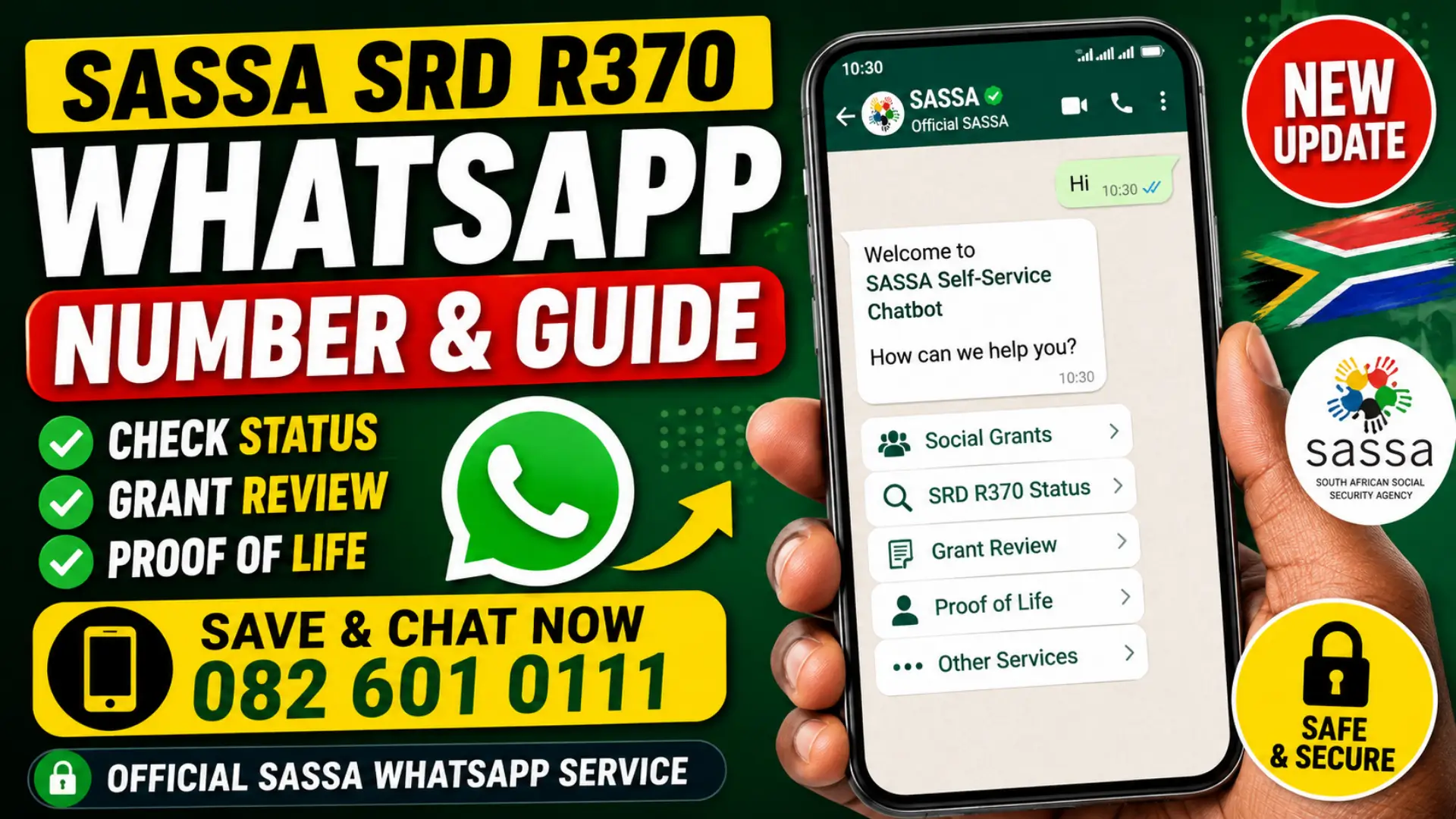
If you receive or have applied for the SASSA SRD R370 grant, you can now use WhatsApp to access important grant information without visiting a SASSA office. SASSA has introduced a self-service WhatsApp channel that allows beneficiaries to check grant-related information and follow verification prompts.
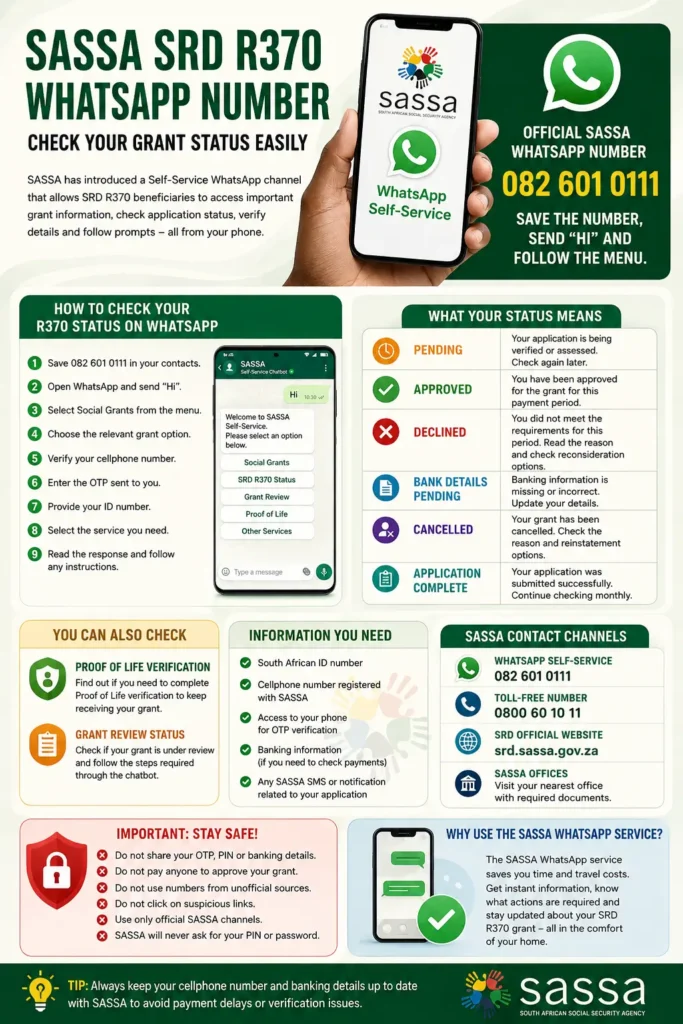
The official SASSA WhatsApp number is 082 601 0111. Beneficiaries can save the number, send “Hi”, and follow the automated menu. The service has been reported as a channel for SRD beneficiaries as well as other social-grant users, making it a convenient option for checking information and identifying whether further action is required.
What Is the SASSA SRD WhatsApp Number?
The SASSA WhatsApp self-service number is 082 601 0111. The service is designed to give beneficiaries a digital way to access grant information instead of making a routine visit to a SASSA office or calling the contact centre. Recent SASSA-related reports confirm that the WhatsApp channel is available for SRD beneficiaries.
You can also read: South Africa September Petrol Price
The service uses an automated chatbot. After starting a conversation, users can select Social Grants and follow the relevant prompts. Depending on the service available for the applicant or beneficiary, the chatbot can provide information about application status, reviews, Proof of Life requirements and other grant-related services.
Official SASSA WhatsApp Details
| Information | Details |
|---|---|
| SASSA WhatsApp number | 082 601 0111 |
| Service | SASSA Self-Service Chatbot |
| Main starting message | Hi |
| Verification | Mobile number, OTP and ID information |
| SRD grant | R370 |
| Official SRD website | srd.sassa.gov.za |
| SASSA toll-free number | 0800 60 10 11 |
The official SRD website confirms that SASSA uses a registered mobile number as an important communication channel for application feedback and status information.
How to Check Your SASSA R370 Status on WhatsApp
Checking your grant information through WhatsApp is relatively straightforward. You should first save 082 601 0111 in your phone contacts and then open WhatsApp. Start the conversation by sending “Hi” and wait for the automated SASSA response.
Follow the chatbot options carefully rather than sending random personal information. Recent instructions for the service indicate that beneficiaries should select Social Grants, choose the relevant grant category, complete identity verification and then select the service they need.
Step-by-Step WhatsApp Status Check
- Save 082 601 0111 as the SASSA WhatsApp number.
- Open WhatsApp and start a chat with the number.
- Send “Hi”.
- Select Social Grants from the menu.
- Choose the relevant grant option.
- Confirm your cellphone number when requested.
- Enter the OTP sent to you.
- Provide your ID number when requested.
- Select the available status or grant service.
- Read the response and follow any instructions provided.
If the chatbot does not respond immediately, avoid repeatedly sending your ID information. Wait and try again later, particularly during periods when many beneficiaries are checking their grant information.
How to Check Your SRD R370 Application Status
The WhatsApp service provides another digital route for grant-related enquiries, but beneficiaries should also know how to use the official SRD website. The official SASSA SRD platform is available at SASSA SRD Official Portal, where applicants can access SRD application and status services.
For SRD applications, SASSA performs verification checks before determining whether an applicant qualifies for a particular payment period. This means your status can change from one month to another, so an applicant should not assume that approval for one period automatically guarantees every future payment.
What Information Should You Have Ready?
Before checking your status, keep the details connected to your SASSA application available:
- South African ID number or the relevant identification details used in the application
- Cellphone number registered with SASSA
- Access to your cellphone for OTP verification
- Your banking information if you need to investigate a payment issue
- Any SMS or SASSA notification relating to your application
The official SRD system states that applicants provide personal details, a mobile number, employment and lifestyle information and banking information as part of the application process.
What Does Your SASSA Status Mean?
Your SRD result tells you what stage your application or payment has reached. Understanding the wording is important because a status such as pending does not necessarily mean that your application has been rejected.
SASSA’s official status guidance explains several possible outcomes, including pending verification, approval, decline and cancellation. If your application is declined, the system provides a reason and applicants may have an opportunity to request reconsideration through the relevant official process.
Common Status Results
| Status | General meaning | What you should do |
| Pending | Verification or assessment is still underway | Check again later |
| Approved | You have been approved for that period | Check payment information |
| Declined | The application did not meet the requirements for that period | Read the reason and consider reconsideration if eligible |
| Bank Details Pending | Banking information is missing or incomplete | Update banking details through the official SASSA channel |
| Cancelled | The grant application/benefit has been cancelled | Check the reason and official reinstatement options where applicable |
| Application Complete | Application information has been successfully submitted | Continue checking monthly verification/payment status |
SASSA’s official documentation specifically advises approved applicants to check the payment-day information. If no payment date is shown, it may mean that payment has not yet been processed.
Can You Check Proof of Life or Grant Review on WhatsApp?
Yes. The expanded SASSA WhatsApp service can also be used to determine whether a beneficiary needs to complete a grant review or Proof of Life verification. After completing the required identity verification, beneficiaries can select the relevant review option.
You can also read: SASSA Status Check SRD R370 Payment Dates
The chatbot can indicate whether further action is required. Possible responses include “Grant Review Required”, “Proof of Life Verification Required”, or an indication that the grant is currently not in review. Where action is required, the service provides guidance about the next steps.
What Is Proof of Life Verification?
Proof of Life is a verification process used to help SASSA establish that a beneficiary is still eligible to receive a grant. If SASSA tells you that Proof of Life verification is required, do not ignore the notification.
Instead, follow the instructions provided through the official SASSA channel. If you are unsure about a request or cannot complete the required process, contact SASSA directly rather than relying on information from unofficial WhatsApp groups, Facebook pages or individuals claiming to be SASSA agents.
What If Your Grant Is Under Review?
A grant review does not automatically mean that your grant has been permanently stopped. Reviews are used to determine whether beneficiaries still meet the requirements for the assistance they receive.
If the WhatsApp chatbot says “Grant Review Required”, carefully follow the instructions provided. Recent reporting on SASSA reviews indicates that beneficiaries may be asked to provide identity, residence, income or other relevant information depending on their circumstances.
Documents You May Need for a Review
Depending on the type of grant and the reason for the review, SASSA may require relevant supporting information such as:
- Valid South African identity document
- Proof of residence
- Proof of income or an affidavit where applicable
- Bank statements where required
- Marriage certificate where relevant
- Medical records for disability-related matters
- Child-related documents where applicable
Do not submit documents to an unknown person simply because they claim they can complete the review for you. Use SASSA’s official channels and follow the instructions attached to your case.
SASSA R370 Payment Status: What Beneficiaries Should Know
The R370 SRD grant is subject to monthly verification. The official SRD platform explains that applicants must meet the applicable eligibility requirements and that information such as personal details, employment information and banking information can be verified.
This is why it is important to check your status regularly rather than relying only on a previous approval. Your result for one payment period may not be the same for another period if verification information changes.
If Your Payment Has Not Arrived
If you have been approved but have not received your money, check the payment information first. Make sure your banking details are correct and that the account belongs to you. SASSA’s privacy and verification information confirms that bank-account verification forms part of its grant-payment processes.
Also remember that an approved status and an actual payment date are not always the same thing. SASSA’s official status guidance says beneficiaries should look for the pay-day field and understand that a missing payment date can mean payment has not yet been processed.
SASSA WhatsApp vs Official SRD Website
Both channels can be useful, but they serve slightly different purposes. WhatsApp is convenient when you want to interact with the automated self-service system, while the official SRD website remains an important destination for SRD applications, status services and other account-related functions.
For sensitive actions such as banking changes, appeals or application updates, always make sure you are using an official SASSA website rather than a third-party status-checking website.
| Method | Best for | Important point |
| SASSA WhatsApp | Quick grant enquiries and self-service | Use 082 601 0111 |
| SRD website | SRD application and status services | Use the official SASSA domain |
| SASSA call centre | More complicated problems | Call 0800 60 10 11 |
| SASSA office | Cases requiring in-person assistance | Take relevant documents |
The official SASSA services portal also provides grant information and application-related services, while the SRD platform is specifically dedicated to the Social Relief of Distress grant.
Common Mistakes to Avoid When Using SASSA WhatsApp
Many beneficiaries become vulnerable to scams because criminals use the popularity of the R370 grant to request ID numbers, OTPs or banking information. The safest approach is to communicate only through recognised SASSA channels.
Keep these precautions in mind:
- Do not use a WhatsApp number copied from an unofficial post.
- Check that the number is 082 601 0111.
- Never give your OTP to another person claiming to be an agent.
- Do not pay anyone to “approve” your SRD grant.
- Do not share your banking PIN.
- Avoid clicking suspicious links sent through WhatsApp or SMS.
- Use the official sassa.gov.za or srd.sassa.gov.za domains for online services.
SASSA’s own information stresses the importance of protecting personal information, while its SRD privacy policy explains that applicant information is used for identity and eligibility verification.
What to Do If SASSA WhatsApp Is Not Working
The WhatsApp service is automated, so technical problems or heavy traffic can sometimes prevent a smooth response. If you do not receive a response, wait before trying again and make sure you have saved the correct number.
You can also read: South Africa Digital Banking Losses Soar
If the problem continues, use another official SASSA channel. The agency’s toll-free number is 0800 60 10 11, while the official SRD website provides online services for SRD applicants.
Frequently Asked Questions
What is the official SASSA WhatsApp number?
The SASSA WhatsApp self-service number is 082 601 0111. Save the number and send “Hi” to begin the automated service.
Can I check my R370 SRD status on WhatsApp?
SASSA’s WhatsApp self-service channel has been introduced as a digital service for SRD beneficiaries and provides access to grant-related information. For the most complete SRD status and application services, beneficiaries should also use the official SRD website.
What do I need to use SASSA WhatsApp?
You generally need access to your registered cellphone and the identification information requested by the chatbot. The expanded service uses identity verification involving the mobile number, OTP and ID number.
Can WhatsApp tell me if I need a grant review?
Yes. The expanded self-service platform includes an “Am I in Review?” option that can indicate whether a grant review or Proof of Life verification is required.
What is the SASSA call centre number?
SASSA’s official toll-free contact number is 0800 60 10 11. The official SASSA FAQ also lists this number for grant-related assistance and fraud reporting.
Conclusion
The SASSA WhatsApp number 082 601 0111 gives R370 SRD beneficiaries another convenient way to access grant information. By sending “Hi” and following the chatbot’s instructions, users can access available self-service options and check whether further verification or action is required.
For important SRD actions, however, beneficiaries should always cross-check information through the official SASSA channels. The official SRD website remains available for application and status services, while 0800 60 10 11 can be used when direct assistance is needed. Most importantly, never share an OTP, banking PIN or other sensitive information with an unofficial person claiming to represent SASSA.