How to Check SC19 Status Check Appeal 2026: SRD R370 Appeal Status & Guide
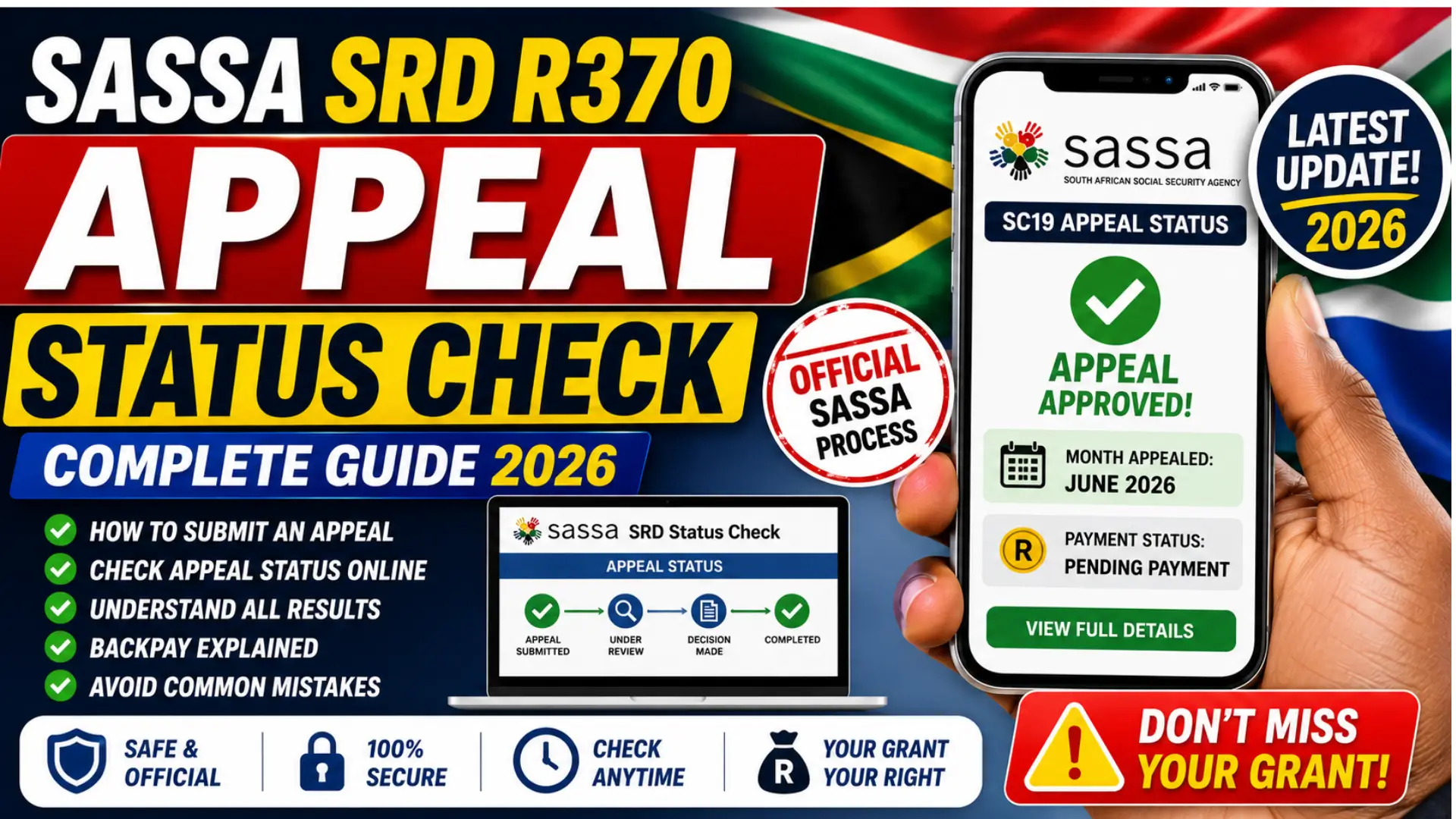
If your SRD R370 application was declined and you submitted an appeal, checking the result is different from doing a normal SC19 status check. The regular SRD status system shows your monthly application status, while an appeal follows a separate process for the specific month you disputed. This guide explains exactly how to check your SC19 status check appeal in 2026, submit an appeal, understand the results, and avoid common mistakes.
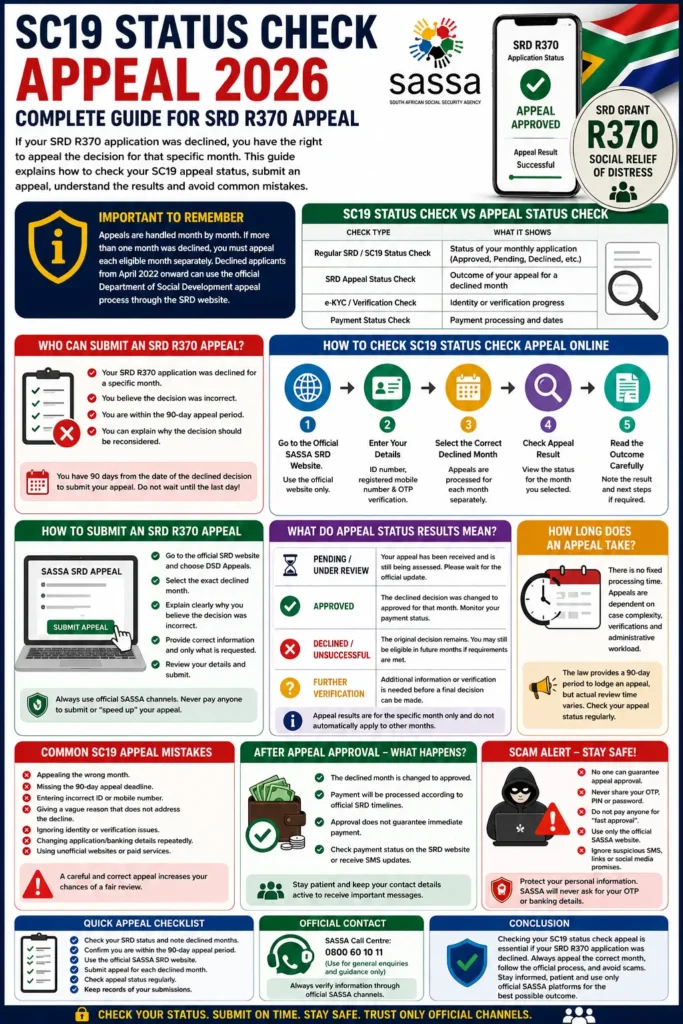
The most important thing to remember is that an appeal is handled month by month. If SASSA declined you for more than one month, you may need to appeal each eligible declined month separately. SASSA’s official SRD system also confirms that applicants declined from April 2022 onward can access the Department of Social Development appeals process through the official SRD website.
What Does SC19 Status Check Appeal Mean?
The phrase SC19 status check appeal is commonly used by people searching for information about a declined SRD application and the appeal process. SC19 is often associated with the regular SRD online status system, but checking an appeal is not exactly the same as checking your normal monthly SRD application.
You can also read: SRD SASSA Gov Za SC19 Application
A normal status check tells you whether a particular month’s SRD application is approved, pending, declined, or requires further attention. An appeal status check focuses on whether the decision for a declined month has been reconsidered through the official appeals process. SASSA’s SRD website directs eligible declined applicants to the appeal process and states that appeals are lodged for each month that the application was declined.
SC19 Status Check vs SRD Appeal Status Check
These two checks are connected, but they answer different questions. Understanding the difference can prevent you from repeatedly checking the wrong page.
| Check Type | What It Shows | When to Use It |
|---|---|---|
| Regular SRD/SC19 status check | Current monthly SRD application result | To see whether a month is approved, declined or pending |
| SRD appeal status check | Outcome of a disputed declined month | After submitting an appeal |
| e-KYC or verification check | Identity or verification-related progress | When SASSA requests verification |
| Payment status | Payment processing information | After a month has been approved |
In simple terms, first check your normal SRD status to identify the month that was declined. If you qualify to challenge that decision, use the official appeal process for that specific month, then check the appeal result through the appropriate official channel.
Who Can Submit an SRD R370 Appeal?
You can consider an appeal when your SRD R370 application was declined for a specific month and you believe the decision was incorrect. The official SRD system states that declined applicants have the right to appeal and that appeals are submitted for each declined period individually.
Before appealing, carefully read the decline reason. An appeal should address the actual issue that caused the decision rather than simply stating that you need the grant. Depending on the reason, you may need to correct personal information, resolve an identity issue, or provide a clear explanation through the appeal process.
The 90-Day Appeal Deadline
The appeal deadline is extremely important. Official government information on social assistance appeals has long provided a 90-day period for lodging an appeal, and the SRD appeal framework also treats the appeal process as a time-limited remedy. Do not wait until the last minute if your status shows a declined month that you believe was decided incorrectly.
Because SRD decisions are assessed by period, treat every declined month separately. Missing the deadline for one month can affect your ability to challenge that particular decision, even if another month’s application is still eligible for review.
How to Check SC19 Status Check Appeal Online in 2026
The safest starting point is the official SASSA SRD website, which provides the route to the Department of Social Development appeals process. Avoid relying on search advertisements, copied links, or unofficial websites that claim they can speed up or guarantee an appeal outcome.
Step 1: Open the Official SRD Website
Go through the official SASSA SRD platform and select the appeal or DSD Appeals option. The official SRD site specifically identifies the appeal route for applicants whose applications were declined for eligible periods.
Use the official service rather than a third-party “SC19 appeal checker.” A legitimate appeal does not require paying a private website to check your result.
Step 2: Enter Your Correct Personal Details
Use the same details connected to your SRD application. Your information should match the records used during your original application and verification process.
You may need information such as:
- Your South African ID number
- Your registered mobile number
- An OTP or verification code sent to that number
- The specific month you want to check or appeal
Always keep your OTP private. SASSA’s SRD process relies on electronic information and mobile contact details, and the official system advises applicants to update their mobile details through the proper SASSA channels if necessary.
Step 3: Select the Correct Declined Month
This is one of the most important steps. Do not assume that an appeal for one declined month automatically covers every other declined month.
For example, if June is declined and July is also declined, check each month’s status separately. Appeal eligibility and decisions are linked to the individual assessment period, so selecting the wrong month can create unnecessary confusion.
Step 4: Check the Appeal Result
Once the relevant information is verified, review the result shown for the specific month. The result may indicate that the appeal is still being processed or that a decision has already been made.
If the result is unclear, do not submit repeated appeals for the same case without checking whether the original appeal is already recorded. Duplicate submissions generally do not make an appeal move faster and can make it harder to keep track of your application.
How to Submit an SRD R370 Appeal
To submit an appeal, start from the official SASSA SRD website and follow the route to the Department of Social Development appeals service. SASSA’s official SRD pages specifically state that an applicant may appeal a declined decision and that appeals are handled for each declined month.
You can also read: South Africa Car Licence Renewal Online
The best approach is to select the exact declined period and explain why you believe the decision was incorrect. Keep your explanation factual, short, and connected to the actual reason for the decline.
What Information Should You Provide?
Only provide information requested through the official appeal process. Your explanation should help the reviewer understand the issue clearly.
Useful information may include:
- The exact month being appealed
- A clear explanation of why you believe the decision was incorrect
- Correct information about your financial circumstances where relevant
- Clarification of incorrect or unusual information linked to the decline
- Any information specifically requested through the official process
Do not upload or share sensitive documents with unofficial websites. The official SRD website states that the application process is electronic and advises applicants to use the authorised SASSA channels for updates and assistance.
What Do SC19 Appeal Status Results Mean?
Your appeal result should always be read together with the specific month you selected. A result for one month does not automatically apply to another month.
Pending or Under Review
A pending result usually means the appeal has been received but the review has not yet been completed. This does not automatically mean that your appeal will be approved or declined.
The best action is normally to wait for the official process to update. Avoid changing important application details repeatedly unless SASSA specifically requires an update, as unnecessary changes can sometimes create additional verification issues.
Approved
An approved appeal generally means the original decision for that specific month was overturned. You should then monitor the relevant SRD status and payment information for the approved period.
Approval of one appeal does not guarantee automatic approval for future months. SRD eligibility is assessed according to the applicable rules and circumstances for each period.
Declined or Unsuccessful
If the appeal is unsuccessful, the original decision for that specific period remains in place. Carefully review the result and make sure you are looking at the correct month before assuming that all future SRD applications are affected.
A decline for one month does not necessarily mean every future month will receive the same result. Continue checking your later monthly status separately and make sure your personal and contact information remains accurate.
How Long Does an SRD Appeal Take?
There is no single guaranteed processing time that applies to every appeal. Historical government information on the appeals system has referred to structured appeal periods, including a 90-day window for lodging an appeal and timelines intended to support adjudication, but actual processing can vary depending on the case and administrative workload.
For this reason, be cautious with websites promising that every appeal will be completed within an exact number of days. Check the official appeal status rather than relying on a fixed unofficial timeline.
When Should You Follow Up?
If your appeal remains unchanged for a long period, use an official SASSA or Department of Social Development contact channel for guidance. The official SRD site lists the SASSA call centre number 0800 60 10 11 for assistance, and official government information also directs applicants to authorised SASSA channels.
When contacting support, have your ID details and the relevant month available. Never share an OTP, banking PIN, password, or other security code with a caller claiming to “speed up” your appeal.
Common Reasons an SRD Appeal May Not Succeed
A strong appeal should directly address the reason for the original decline. Simply repeating that you need financial assistance may not explain why the original decision was incorrect.
Common problems include:
- Appealing the wrong declined month
- Missing the appeal deadline
- Entering incorrect personal information
- Giving a vague explanation that does not address the decline reason
- Ignoring an identity or verification issue that needs separate attention
- Repeatedly changing application or banking details unnecessarily
- Using an unofficial website or person claiming to guarantee approval
A practical rule is to first identify why the month was declined, then make sure your appeal addresses that exact issue. Official SASSA information also warns that personal details should match relevant records and notes that changing banking details repeatedly can delay parts of the process.
Common SC19 Appeal Mistakes to Avoid
Many appeal problems are caused by simple mistakes rather than complicated legal issues. Taking a few minutes to check your details before submitting can save significant time later.
Appealing the Wrong Month
Always compare the month shown as declined with the month selected in the appeal process. A decline in one month and an appeal for another month are not automatically treated as the same case.
Make a simple note of every declined month, the date you noticed the decision, and whether an appeal was submitted. This is particularly useful if more than one month has a different result.
Using Unofficial Appeal Websites
Unofficial websites may copy SASSA branding and appear in search results. Some may ask for information that is not necessary to check your appeal.
Use the official SASSA SRD platform to access the appeal route. SASSA confirms that declined applicants can reach the appeal process through its official SRD website, so there is no need to pay a third party to submit or check an appeal.
SRD Appeal Backpay: What Happens After Approval?
If an appeal changes a declined decision to approved for a specific period, the payment relates to that approved period. Do not assume that an appeal approval automatically creates a large payment covering unrelated months.
After approval, payment processing may still require additional time. Monitor your official SRD status and payment information, and remember that approval, payment processing, and the date funds become available are not always updated at exactly the same moment.
Does Appeal Approval Guarantee Immediate Payment?
No. An appeal result and a completed payment are separate stages. Even after a favourable decision, payment may still need to move through normal administrative and payment processes.
The safest approach is to wait for the official payment status or payment instruction instead of relying on screenshots, WhatsApp rumours, or unofficial “payment date” claims.
Important SC19 Status Check Appeal Scam Warnings
Appeals involve personal information, which makes them attractive to scammers. Treat any message promising a guaranteed approval, faster payment, or special paid appeal service with caution.
Remember these basic safety rules:
- Never pay someone to “guarantee” appeal approval
- Never share your OTP with an unknown person
- Never share your banking PIN or password
- Do not use links sent by suspicious SMS or social media accounts
- Check that you are using an official SASSA or government service
- Do not trust a person claiming they can manually change an appeal result for a fee
SASSA states that SRD information is handled electronically and shares information with relevant institutions, including the Department of Social Development for appeal processing. This is another reason to keep your personal information within authorised channels.
You can also read: SASSA Reapplication for SRD R370 Grants
Best Way to Track Your SRD Appeal in 2026
The most effective method is to stay organised and check only through official channels. Write down the month you appealed and keep track of any official status changes.
A simple tracking process can help:
- Check your normal SRD status.
- Identify the exact declined month.
- Confirm whether you are still within the applicable appeal period.
- Submit the appeal through the official route.
- Check the appeal result for that same month.
- Monitor the regular SRD status and payment information after approval.
- Contact official support if the case requires further assistance.
This approach prevents one of the biggest mistakes: confusing an ordinary SC19 status check with the separate appeal process.
Conclusion
Checking an SC19 status check appeal in 2026 is straightforward once you understand that your normal SRD status and your appeal status serve different purposes. Start with the official SASSA SRD website, identify the exact month that was declined, and use the official appeal route for that individual period.
The most important steps are to act within the applicable deadline, select the correct month, give accurate information, protect your OTP and personal details, and avoid unofficial websites promising guaranteed approval. If your appeal is approved, continue monitoring the official SRD system for the next status and payment updates.
Frequently Asked Questions
How do I check my SC19 status check appeal in 2026?
Start from the official SASSA SRD website and use the official appeal or DSD Appeals route. Enter the required information, verify your identity through the authorised process, and check the result for the specific month you appealed.
Is SC19 appeal status the same as normal SRD status?
No. A regular SRD status check shows the outcome of your monthly application, while an appeal status relates to a challenge against a declined decision for a specific month.
Can I appeal more than one declined SRD month?
Yes, but each declined period should be treated separately. SASSA’s official SRD information states that an appeal can be lodged for each month the application was declined.
How many days do I have to submit an SRD appeal?
Government information on the social assistance appeals framework refers to a 90-day appeal period. Because deadlines are important, submit an eligible appeal as soon as possible rather than waiting until the final days.
Why is my SC19 appeal still pending?
A pending result generally means the appeal has not yet received a final outcome. Processing times can vary, so avoid trusting unofficial websites that promise a guaranteed decision date.
What should I do if my appeal is approved?
Monitor your official SRD status and payment information for the specific month that was approved. Appeal approval and the actual payment process may update at different times.
Can I pay someone to speed up my SRD appeal?
No legitimate person can guarantee or sell an appeal approval. Use official SASSA and government channels only, and never share your OTP, PIN, or password with anyone claiming they can speed up the process.