How to Check SRD.Sassa.Gov.Za Banking Details 2026
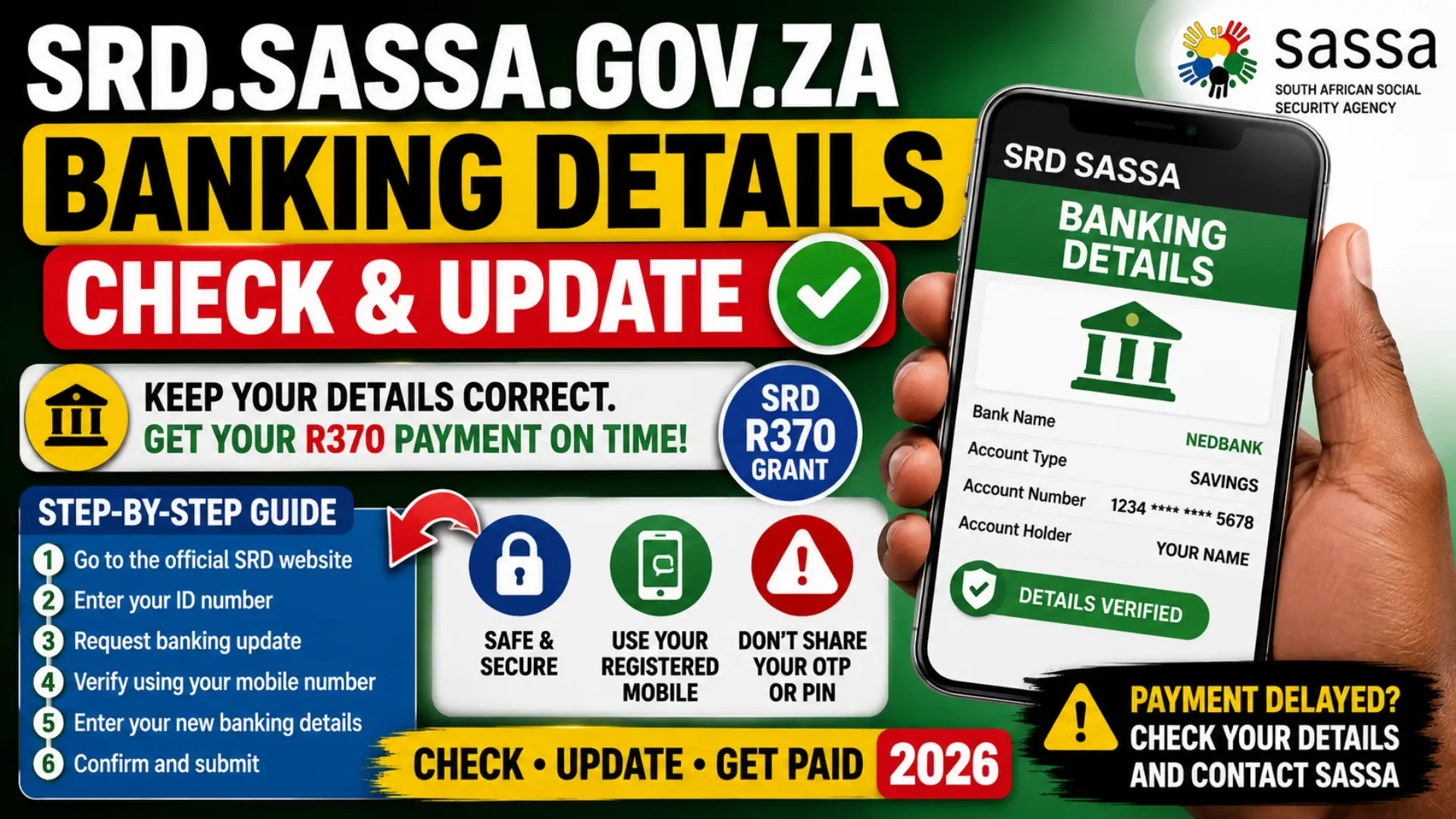
If you receive the SASSA SRD R370 grant, keeping your banking information correct is important. A closed account, incorrect account number, bank account that does not belong to you, or outdated payment information can cause delays when SASSA processes an approved payment.
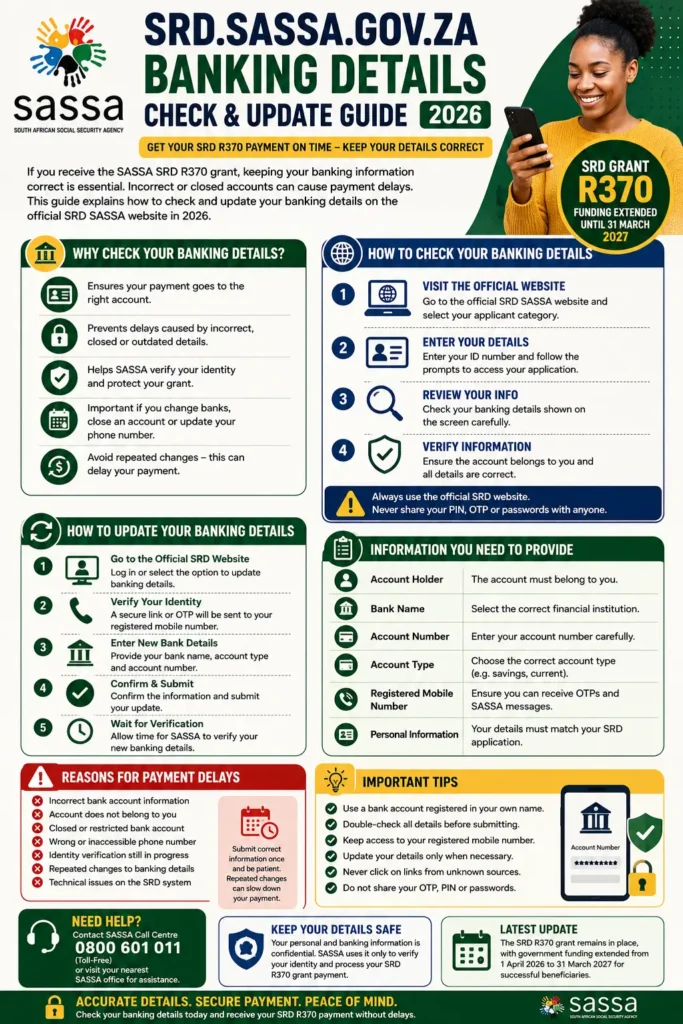
In this guide, you will learn how to check your banking details on the official SRD SASSA website in 2026, how to update them when necessary, what information you need, and what to do if your payment is delayed. The SRD grant remains R370, with government funding announced for successful beneficiaries through 31 March 2027.
What Are SRD.SASSA.GOV.ZA Banking Details?
SRD banking details are the payment details SASSA uses to send an approved Social Relief of Distress payment to the correct beneficiary. Depending on the payment option available to you, this information may include your bank name, account type and account number.
You can also read: SRD Status Check Payment Approval
The official SRD platform requires applicants to provide personal, mobile and banking information as part of the application and payment process. Your banking information should match your own identity because SASSA and relevant institutions use information verification processes to help confirm eligibility, identity and payment details.
Why Checking Your Banking Details Is Important
You should check your SRD banking details whenever you change banks, open a new account, close an existing account or notice that an approved payment has not reached your account. It is also sensible to check the details if your SRD status shows an issue connected to payment processing.
Checking your information does not mean you should repeatedly change it. SASSA has previously warned that frequent changes to banking details and contact information can delay payment processes. Update your details only when there is a genuine change or an error that needs to be corrected.
How to Check SRD.SASSA.GOV.ZA Banking Details in 2026
The safest place to check or manage SRD information is the official SRD website. Always check the website address carefully before entering your ID number, mobile number or banking information.
Follow these general steps:
- Open the official SRD SASSA website.
- Select the section for your applicant category.
- Enter the required identification information.
- Follow the prompts related to your application or banking information.
- Review the payment details shown and check that they belong to you.
- If something is incorrect, use the official banking update process rather than submitting details through an unofficial website.
The official SRD system currently directs South African ID holders and eligible asylum seekers or special permit holders through their respective application paths. SASSA also states that applicants must provide a mobile number where they can be contacted about their application.
How to Change Your SRD Banking Details
If your bank account has changed, do not wait until the last minute before an expected payment. Submit the update through the official SRD system and allow time for verification. A banking update may affect future payments, particularly if the payment for the current cycle has already been processed.
Step-by-Step SRD Banking Details Update
The exact screen layout can change, but the process generally follows this pattern:
- Visit the official SRD SASSA website.
- Enter your South African ID number if you are applying as a South African ID holder.
- Request access to the banking details update process.
- Wait for the secure link or verification step sent to your registered mobile number.
- Open only the link you requested from the official process.
- Enter your new payment information carefully.
- Confirm that the account is yours and that all information is correct.
- Submit the update and wait for verification.
SASSA’s SRD platform identifies the mobile number as an important communication method. If the mobile number you currently use is different from the number originally used in your application, SASSA advises applicants to contact its call centre for assistance rather than trying to bypass the verification process.
Information You Should Check Before Submitting Banking Details
Before saving any new information, compare the details with your bank account records. A simple typing error can create unnecessary delays or cause verification to fail.
| Information to Check | What You Should Confirm |
|---|---|
| Account holder | The account belongs to you |
| Bank name | The correct financial institution is selected |
| Account number | Every digit is correct |
| Account type | It matches the type of account you hold |
| Registered mobile number | You can receive official verification messages |
| Personal information | Your details match your SRD application |
Do not enter guessed information. If you are uncertain about your account details, check your official bank records before submitting the SRD banking update.
Banking Details Update for South African ID Holders
South African ID holders generally begin the SRD process by entering their 13-digit South African ID number on the official SRD platform. The website provides the official route for eligible applicants and beneficiaries to submit the information required for the SRD grant.
If a secure verification link is sent to the mobile number registered with your application, use it carefully and complete the requested steps yourself. Never forward the link to another person, as banking and identity verification information is sensitive.
You can also read: SRD Sassa Gov Za sc19 Status Check Full Details
Banking Details for Asylum Seekers and Special Permit Holders
Eligible asylum seekers and special permit holders follow a different identification process from South African ID holders. The official SRD website provides a separate route for applicants who use a valid file number or qualifying special permit or passport information.
Before changing any banking information, make sure you are using the correct applicant section. Entering information in the wrong category may create confusion or prevent you from completing the process correctly. The official SRD website lists the relevant applicant categories and eligibility routes.
How Long Does SRD Banking Details Verification Take?
There is no guaranteed processing time that applies to every banking update. Verification can depend on whether the information is complete, whether the account can be matched successfully and whether additional identity or fraud checks are required.
For this reason, you should avoid changing your banking details repeatedly while waiting for an update. Give the official process reasonable time and check your SRD status rather than submitting the same change multiple times. SASSA has warned that repeated changes to banking and contact details may delay payment processing.
Why Your SRD Banking Details May Not Update
A banking update can remain incomplete when the information submitted cannot be verified or when the account information does not match the beneficiary’s details. Technical problems, an inaccessible registered mobile number and incorrect identification information can also prevent the process from being completed.
Common reasons include:
- The account information was entered incorrectly.
- The bank account does not match the beneficiary’s identity.
- The registered mobile number cannot receive the verification message.
- The account has been closed or restricted.
- Identity verification is still in progress.
- The SRD system is experiencing a temporary technical issue.
- The banking details were changed repeatedly in a short period.
If you believe the information is correct but the problem continues, contact SASSA through an official channel instead of giving your ID or banking details to an unofficial helper or social media page.
How to Check Your SRD Status After Updating Banking Details
Updating your banking details does not automatically mean that a payment will appear immediately. Your SRD application and payment status still need to be processed according to the programme’s rules and verification procedures.
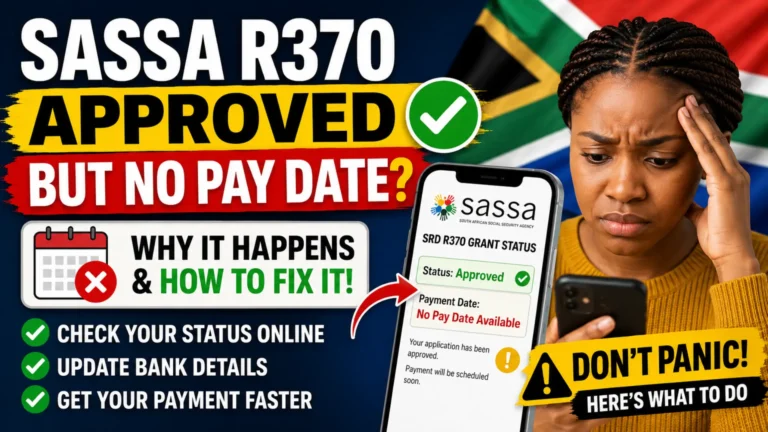
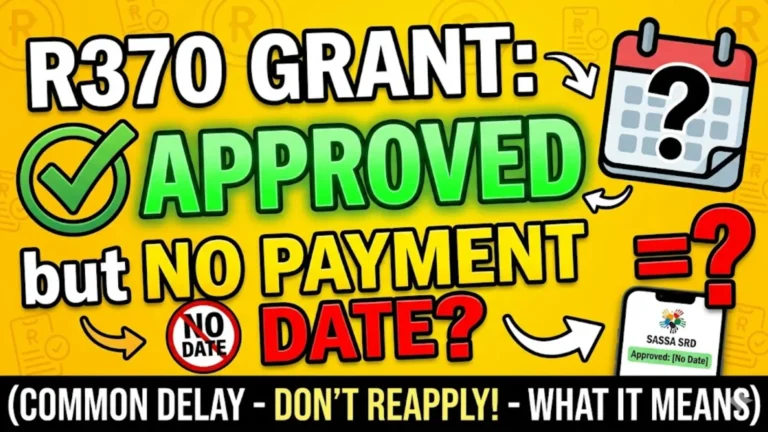
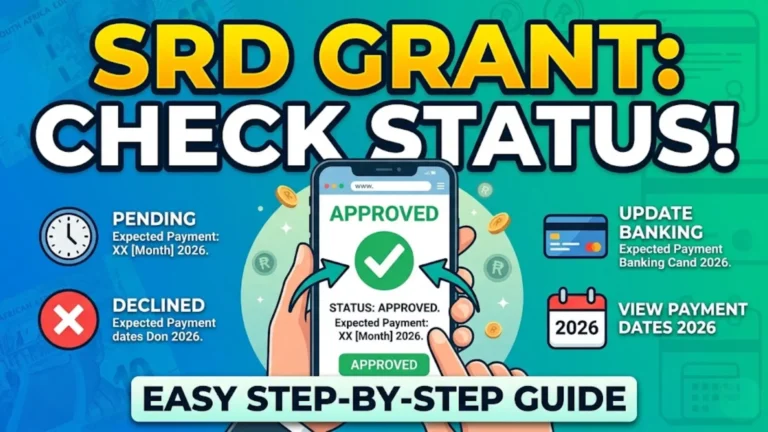
After submitting your update, check your official SRD status periodically. Look for the month you want to check and pay attention to the status shown for that period. If your application is approved but no money has arrived, first confirm that your banking information is correct and that the payment has not already been processed to a previous approved payment method.
Understanding SRD Payment and Banking Status
Different status messages can indicate different stages of the process. The wording may change, so always rely on the explanation displayed on the official platform rather than information from screenshots shared online.
| Status Situation | What It May Mean | Recommended Action |
| Banking details submitted | Information has been provided | Wait for verification or further instructions |
| Banking verification pending | Verification is not complete | Do not repeatedly resubmit the same details |
| Approved | You qualified for the relevant period | Check payment information and official payment status |
| Payment pending | Payment processing may still be underway | Monitor the official status |
| Referred or identity issue | Additional verification may be required | Contact SASSA through official channels |
| Declined | You did not qualify for that assessment period | Check the official reason and appeal options where applicable |
SASSA has stated that a “referred” status can be linked to suspected fraudulent activity and advises affected beneficiaries to contact the agency to resolve the matter.
Important Rules for Your SRD Bank Account
Your banking details are not just a place where money is sent. They are part of the broader identity and payment verification process. Always provide accurate information that belongs to you.
Follow these best practices:
- Use an account that is registered in your own name.
- Never intentionally provide another person’s account as your personal payment account.
- Check every account number digit before submitting.
- Keep access to your registered mobile number.
- Update details promptly after closing or changing an account.
- Do not share one-time passwords, verification links or PINs.
- Use only official SASSA communication channels for sensitive information.
SASSA’s privacy information confirms that applicant information may be used for grant qualification, payment facilitation, communication, identity proofing and fraud management, including verification with relevant state agencies and financial institutions.
You can also read: SRD SC19 Status Check
Common Mistakes When Updating SRD Banking Details
Many payment problems can be avoided by slowing down before submitting an update. The most common mistake is entering new information quickly without checking whether the bank account and personal details match exactly.
Avoid these mistakes:
- Using a bank account that does not belong to you.
- Entering the wrong account number.
- Using an old or inaccessible mobile number.
- Clicking links sent by unknown people.
- Paying someone to “speed up” your banking verification.
- Changing banking details repeatedly without a genuine reason.
- Assuming that an update will immediately affect a payment already being processed.
- Using unofficial websites that copy the appearance of SASSA.
A good rule is to make one correct update, keep a record of what you submitted and then monitor the official system.
SRD Banking Details Security Warning
Your ID number, bank account information and verification messages are valuable personal information. Scammers may create fake SASSA pages or send messages claiming that you need to update your details urgently.
SASSA has warned beneficiaries to protect their personal information and verify who is requesting sensitive details. Never share passwords, PINs or one-time verification codes with another person, even if they claim to be helping with your SRD grant.
How to Recognise a Safer SRD Banking Update Process
Before entering any information, check these points:
- You started from the official SASSA SRD website.
- The process matches the official instructions for your applicant category.
- You requested the verification step yourself.
- You are not being asked to pay a fee to update banking details.
- You are not sharing your banking password or PIN.
- You are not giving a one-time password to another person.
If something looks suspicious, stop and verify the information through an official SASSA channel.
What Happens If You Change Banking Details Before Payment?
If you update your details before SASSA processes a future payment, the new information may be used once it has been successfully verified. However, changing details does not normally allow you to reverse a payment that has already been processed.
This is why it is important to update your information as soon as you genuinely change banks. At the same time, do not keep switching between accounts while waiting for payment, because repeated changes can slow down the verification process.
Latest SRD R370 Update for 2026
The SRD grant amount remains R370 per month for successful applicants. In February 2026, government announced that the SRD provision would be extended from 1 April 2026 to 31 March 2027, subject to the regulatory process, providing continued support for qualifying beneficiaries.
This means beneficiaries should continue to keep their personal, contact and payment information accurate. However, an extension of the programme does not mean every applicant is automatically approved every month; eligibility and verification requirements still apply.
What If You Cannot Access the Internet or a Smartphone?
If you do not have reliable access to a smartphone, laptop or data, do not give your personal information to an unofficial person in exchange for help. SASSA has said that beneficiaries who lack the necessary tools for certain verification processes can visit SASSA offices for assistance, with offices able to provide support through available official facilities.
Take your identification information and explain the problem clearly to an official SASSA representative. Do not post photographs of your ID, bank statement or verification messages publicly on social media.
When Should You Contact SASSA?
You should seek official assistance if you cannot access your registered mobile number, suspect fraud, receive a status that requires further action, or believe that your banking information is correct but remains unresolved after reasonable processing time.
The official SRD website lists SASSA’s grant call centre as 0800 601 011 for assistance with SRD-related processes. When contacting support, use contact details published through official SASSA or government channels and be careful about phone numbers shared only in social media comments.
Frequently Asked Questions
How do I check my SRD SASSA banking details?
Visit the official SRD SASSA website, enter the information required for your applicant category and follow the official prompts to view or manage your payment information. Never use an unofficial website simply because it appears higher in a search result.
Can I use someone else’s bank account for my SRD payment?
You should provide payment information that belongs to you and can be successfully verified against your identity. Using another person’s banking information can create verification and payment problems and may expose you to fraud risks.
Why have I not received my SRD payment after changing banking details?
Your new details may still require verification, or the payment may have already been processed before the change was completed. Check your official SRD status and avoid submitting repeated changes while the previous update is still being processed.
Can I change my SRD banking details more than once?
You can update information when there is a genuine change, but unnecessary or repeated changes are not recommended. SASSA has warned that repeatedly changing banking and contact details can delay payment processes.
What should I do if my registered cellphone number has changed?
The official SRD website advises applicants whose current mobile number is different from the number used during the application to contact the SASSA call centre for assistance. Do not attempt to bypass the official verification process.
Does changing my banking details guarantee an SRD payment?
No. Correct banking information helps SASSA process payment for an approved beneficiary, but you must still meet the eligibility requirements and successfully complete any required verification for the relevant period.
You can also read: SASSA Child Grant Payment Date
Conclusion
Checking your SRD.SASSA.GOV.ZA banking details in 2026 is one of the most important steps in protecting your SRD R370 payment. Keep your account information accurate, use a payment account that belongs to you, maintain access to your registered mobile number and make changes only when necessary.
For the safest experience, start every banking update from the official SASSA SRD platform, double-check all information before submitting it and never share verification codes, PINs or sensitive banking information with unofficial individuals. If your update does not go through or you suspect fraud, contact SASSA through an official channel rather than trusting social media messages or third-party websites. The current SRD programme is funded for qualifying beneficiaries through 31 March 2027, making it important to keep your records accurate throughout the 2026 payment period.