SRD SC19 Status Check: How to Check and Reconfirm Your SASSA SRD R370 Grant
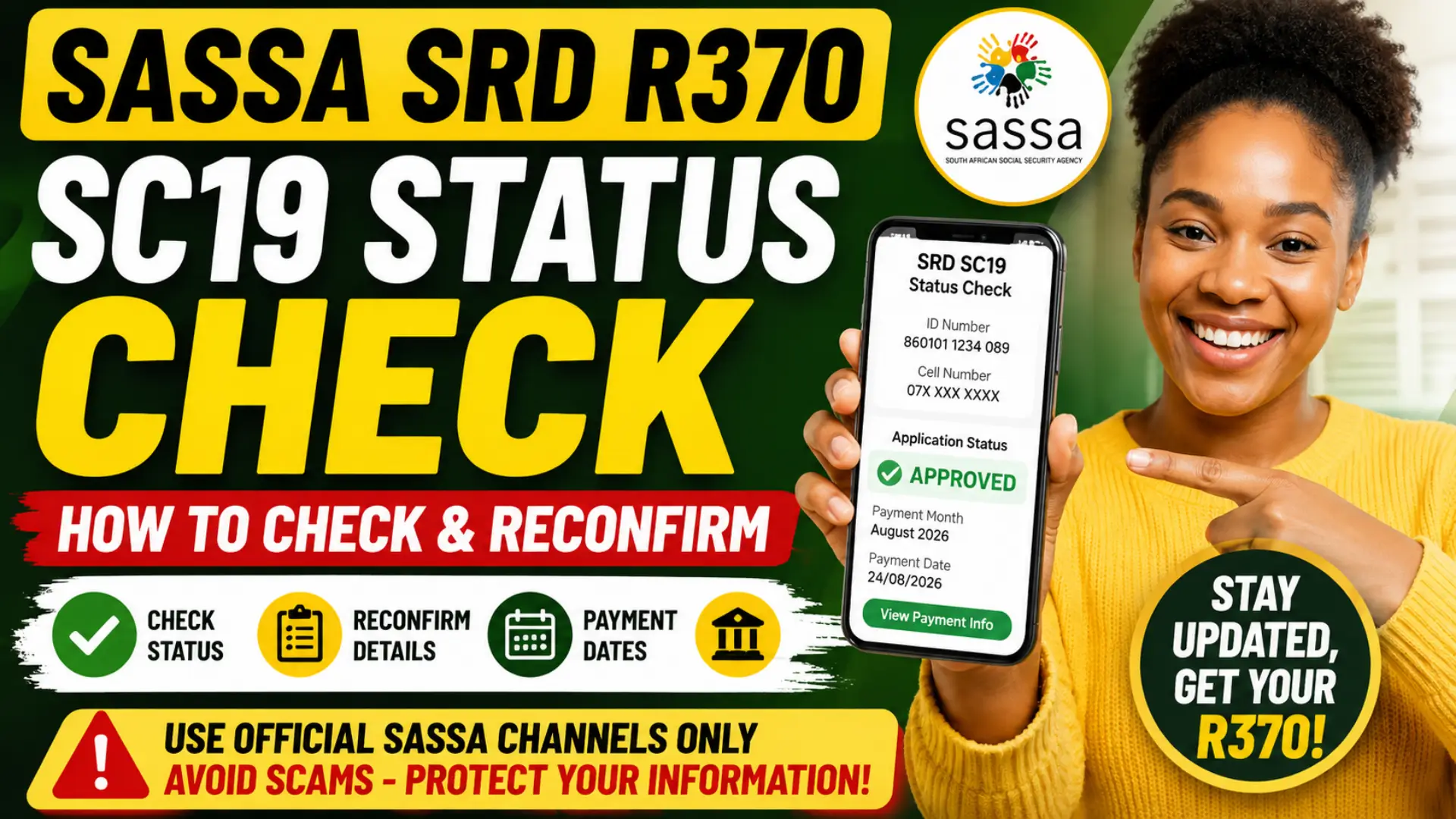
If you receive the SASSA SRD R370 grant, checking your SRD SC19 status regularly is one of the easiest ways to stay updated about your application, monthly approval, payment progress, banking details, and any action you may need to take. Your SRD result can change from one payment month to another because SASSA verifies eligibility regularly.
Many beneficiaries also search for SASSA SRD reconfirmation when they receive an SMS, notice, or status message asking them to confirm their details. However, it is important to understand that reconfirmation is not something every beneficiary should complete automatically every month. Always use the official SASSA SRD system and follow instructions shown for your own application.
SRD SC19 Status Check at a Glance
| What you want to check | What to do |
|---|---|
| Current SRD application status | Use the official SRD SC19 status page |
| Monthly approval result | Check the specific payment month |
| Payment progress | Look for a pay date or payment information |
| Declined application | Check the decline reason and appeal if eligible |
| Cancelled SRD grant | Use the official reinstatement process where available |
| Banking details | Check or update them through the official SRD service |
| Reconfirmation request | Follow it only when officially required or prompted |
The official SRD website is managed by SASSA and requires applicants to provide accurate personal, contact, employment or financial information for eligibility assessment. SASSA can also verify information against relevant government and financial databases as part of the SRD process.
You can also read: SASSA Distribution Grant Dates 2026
What Is SRD SC19 Status Check?
The term SRD SC19 status check generally refers to checking your Social Relief of Distress grant information through the official SASSA SRD status system. This allows applicants to see the outcome of their application for a specific month rather than assuming that one previous approval guarantees payment every month.
When you check your status, you may see results such as Pending, Approved, Declined, Cancelled, Bank Details Pending, or another message explaining what action is needed. SASSA’s official status guidance confirms that a pending result means verification for that period is still underway, while an approved result means the application was approved for that specific period.
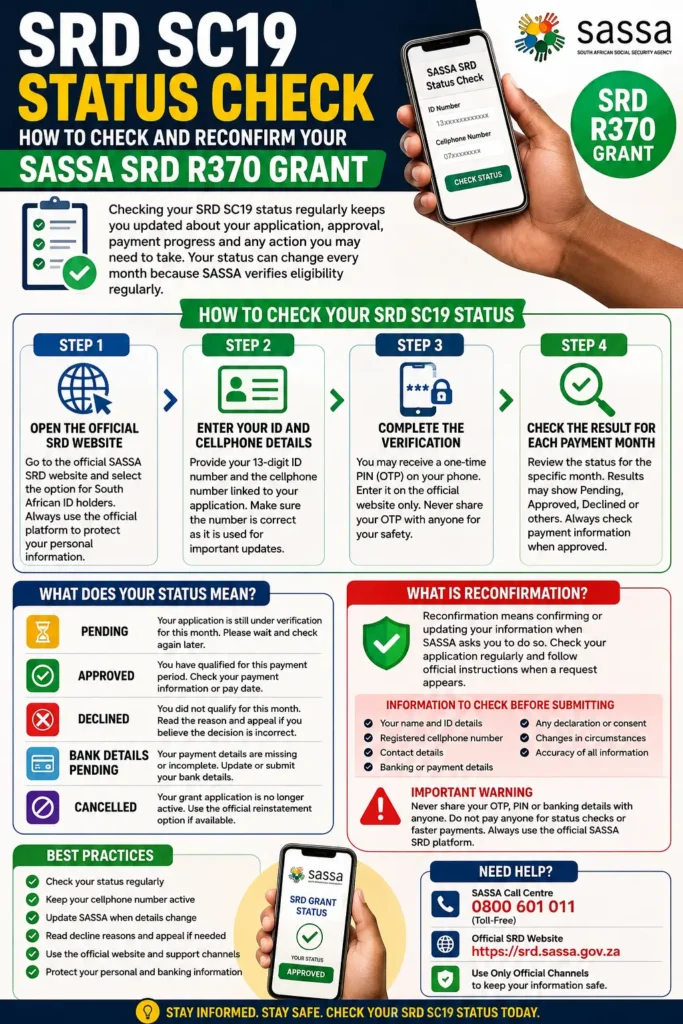
How to Check Your SASSA SRD SC19 Status
The safest method is to use the official SRD website. Avoid entering your ID number or banking information on unofficial websites, social media forms, or links sent by unknown people.
Step 1: Open the Official SRD Website
Go to the official SASSA SRD service and select the option for South African ID holders if that applies to you. Use only the official SASSA SRD platform when checking your personal grant information. Official SASSA SRD Grant Service
Step 2: Enter Your ID and Registered Cellphone Details
Provide your 13-digit South African ID number and the cellphone number linked to your SRD application. Make sure the number is entered correctly because the mobile number is an important communication channel for the application. If your registered number has changed, do not repeatedly try random numbers. The official SRD website advises applicants to contact the SASSA call centre when the contact number used for the application needs to be updated.
Step 3: Complete the Required Verification
The system may require identity verification or a one-time PIN before showing or changing certain information. Enter the OTP only on the official SASSA platform and never share it with another person. A practical rule is simple: SASSA staff or legitimate support services should not need you to publicly share your OTP, password, or other security code. Treat unexpected messages asking for these details with caution.
Step 4: Check the Result for Each Payment Month
Do not look only at one overall status. Check the individual months shown on your SRD record because eligibility is assessed periodically and one month can have a different result from another. For example, you may see Approved for one month and Pending or Declined for another. SASSA’s official status information specifically advises beneficiaries to check the relevant period and, when approved, check the payment information for an indication of payment processing.
What Does Your SRD SC19 Status Mean?
Understanding the status message can help you decide whether you need to wait, update information, appeal, or take another official action.
| SRD status | What it generally means | What you should do |
| Pending | Verification for that month is still in progress | Wait and check again later |
| Approved | You qualified for that payment period | Check payment information or pay date |
| Declined | You did not qualify based on the assessment for that month | Check the reason and appeal if you believe the decision is incorrect |
| Bank Details Pending | Payment details may still be required or incomplete | Submit or correct banking information |
| Cancelled | The grant application is no longer active | Check whether official reinstatement is available |
| Reapplication Pending | The system may require a new or completed application process | Follow the official instruction shown |
SASSA’s published status guide confirms these core meanings and notes that a cancelled grant may be reinstated through the official SRD system where the relevant option is available.
What Is SASSA SRD Reconfirmation?
SRD reconfirmation means confirming information when SASSA specifically requires you to do so. This may involve checking that your personal details, cellphone number, banking information, declaration, or other application information remains accurate and current.
The important point is that you should not confuse routine monthly status checking with a nationwide reconfirmation campaign. The official SRD system already requires applicants to provide accurate and current information and to update SASSA when important circumstances or contact details change. Any separate reconfirmation request should be verified through an official SASSA channel.
You can also read: SASSA Status Check App for R350
How to Check If You Need to Reconfirm Your SRD Grant
Before trying to reconfirm, first check whether there is actually an official instruction requiring action on your application. Do not rely only on a screenshot, forwarded WhatsApp message, or an unofficial website.
Look for these signs:
- An official instruction displayed on your SRD application
- A legitimate SASSA communication linked to your registered application
- A notice on an official SASSA channel
- A specific request to verify, update, or confirm your details
- A status message indicating that further action is required
If there is no official reconfirmation option or instruction for your application, continue checking your monthly status and keep your details accurate rather than submitting information unnecessarily.
How to Reconfirm Your SASSA SRD Grant Online
When SASSA officially requests reconfirmation or displays a relevant option for your application, use the official SRD website. The exact wording and steps can change depending on the current SRD system and the type of verification being requested.
In most cases, you should log in or verify your identity using the details connected to your application, review the information requested by SASSA, correct anything that is inaccurate, and submit the required confirmation.
Information You Should Check Before Submitting
Keep the review process simple and accurate. Check the following information carefully:
- Your name and ID information
- Your registered cellphone number
- Your current contact details
- Your banking or payment information where applicable
- Any declaration or consent requested by SASSA
- Changes in circumstances that must be reported
- Whether all details match official records
SASSA’s SRD declaration requires applicants to provide information that is valid, accurate, complete, and current and to notify SASSA about relevant changes in circumstances or contact details.
Can You Reconfirm Your SASSA SRD Grant Through WhatsApp?
Do not assume that a WhatsApp message offering reconfirmation is automatically an official or permanent SRD service. SASSA service options can change, and scammers may copy official branding or use convincing messages to collect personal information.
If you receive a WhatsApp message about SRD reconfirmation, verify the instruction independently through the official SASSA SRD website or official contact channels before providing your ID number, OTP, or banking details. The online SRD platform remains the most reliable place to confirm what action is currently required for your own application.
What Happens If You Do Not Complete Required Reconfirmation?
If SASSA officially asks you to complete a verification or confirmation process, ignoring a legitimate request could delay the assessment of your application or leave required information unresolved. The exact consequence depends on the instruction and the reason SASSA requested the information.
Do not assume, however, that every missed message automatically means your SRD grant is permanently cancelled or that all beneficiaries must reconfirm on the same schedule. Check your official SC19 status first and follow the specific instruction displayed for your application.
How to Know Whether Your Reconfirmation Was Successful
After completing an officially requested process, check your SRD application again rather than relying only on a single message or screenshot. System updates can take time, especially when many beneficiaries are accessing the service.
You should check for an updated confirmation message, any new action request, and the status for the relevant payment month. A Pending result may simply mean that verification is still underway, while an Approved result confirms approval for that specific period.
Common SRD Reconfirmation and SC19 Status Problems
Some problems can be fixed quickly, while others require you to wait for verification or contact SASSA. Always identify the exact error before changing information.
OTP Not Received
If your OTP does not arrive, first confirm that your phone has network signal and that you are using the cellphone number registered with your SRD application. Wait a few minutes before requesting another code because repeated requests may cause confusion or temporary delays.
If the registered cellphone number has changed, use the official SASSA support process rather than repeatedly attempting verification with a new number. The SRD website lists the SASSA call centre number as 0800 601 011 for assistance with updating a contact number.
Website Not Loading or Showing an Error
The official SRD website can occasionally be slow or unavailable because of maintenance or heavy demand. Do not enter your information on a different website simply because the official platform is temporarily difficult to access.
Try again later, check your internet connection, and make sure you are using the official SASSA SRD domain. If the problem continues, use official SASSA contact options for guidance.
You can also read: Status Check SRD R350 Grant Check
Record Not Found or No Active Application
First, check that your 13-digit ID number and registered cellphone information are correct. A simple typing mistake can prevent the system from finding the expected record.
If the information is correct but no active application appears, do not submit duplicate applications without understanding the reason. Check the official status and any available application message, then follow the instruction shown for reinstatement, reapplication, or another required action.
Bank Details Problems
Your banking information is important because SASSA uses it as part of payment processing and verification. If the system asks you to provide or update banking details, make sure the information is accurate and matches the requirements shown on the official platform.
Never use another person’s bank account unless the official SASSA rules specifically allow the payment arrangement. SASSA’s SRD privacy information confirms that bank-related information can be used as part of verification and payment processes.
How to Keep Your SRD R370 Grant Information Up to Date
The best approach is to treat your SRD application as information that must remain accurate. You do not need to make unnecessary changes, but you should not leave incorrect contact or personal information on the system.
Follow these best practices:
- Check your SRD status regularly
- Keep your registered cellphone number active
- Update SASSA when relevant details officially change
- Review each payment month separately
- Read the exact reason when a month is declined
- Use the official appeal process when you believe a decision is incorrect
- Protect your OTP and personal information
- Avoid paying third parties to check your free SRD status
SASSA states that declined applicants can appeal decisions through the appropriate Department of Social Development process for the relevant month.
Avoid SRD SC19 and Reconfirmation Scams
Because SRD beneficiaries often search for status checks, banking updates, and reconfirmation help, scammers may create fake pages that look similar to official government services. A professional-looking website or message is not proof that it is legitimate.
Before entering personal information, check that you are using the official SASSA SRD platform. Never share your OTP with another person, avoid clicking suspicious links, and do not pay anyone who claims they can guarantee approval or speed up your SRD R370 payment.
SRD SC19 Status Check vs Reconfirmation: What Is the Difference?
These two terms are often confused, but they serve different purposes.
SC19 status checking is mainly about viewing your application result and monthly SRD assessment. You can use it to see whether a particular period is pending, approved, declined, or affected by another issue.
Reconfirmation, on the other hand, involves taking action to confirm or update information when SASSA specifically requires it. In simple terms, checking your status tells you what is happening, while reconfirmation may be required when SASSA tells you to verify or confirm something.
Frequently Asked Questions
How do I check my SRD SC19 status?
Visit the official SASSA SRD service, use your application details as required, and check the result for the relevant payment month. Make sure you use only the official platform. Check Your Official SASSA SRD Status
What does Pending mean on SRD SC19 status?
Pending generally means SASSA is still verifying your eligibility for that specific payment period. It is not the same as approval, so check again later for an updated result.
Does Approved mean my money has already been paid?
Not necessarily. An approved status means you qualified for that period. You should also check whether payment information or a pay date has been processed.
Do I need to reconfirm my SRD grant every month?
Do not assume that monthly reconfirmation is required. Follow official instructions shown for your application and keep your information accurate and current.
How do I know if SASSA wants me to reconfirm?
Check the official SRD system and verified SASSA communications. Do not rely solely on forwarded messages, social media screenshots, or unknown links.
What should I do if my SRD status is Declined?
Read the reason carefully. If you believe the decision is incorrect, check the official appeal process for the relevant month and submit an appeal where you meet the requirements.
Can I check my SRD status if my cellphone number changed?
The registered mobile number is an important part of the SRD process. If it has changed, follow the official SASSA procedure to update it rather than using another number without authorization.
Is there a fee to check SRD SC19 status or reconfirm details?
No legitimate service should charge you simply to check your official SRD application status. Be cautious of anyone requesting money in exchange for a status check, guaranteed approval, or faster payment.
You can also read: SASSA Gold Card Expires August 2026
Conclusion
The SRD SC19 status check is the best starting point when you want to know what is happening with your SASSA SRD R370 grant. Check each payment month, read the exact status carefully, and follow only the action officially requested for your application.
If you are asked to reconfirm your details, use the official SASSA SRD system, review your information carefully, and keep proof of any successful submission. Most importantly, do not assume that every beneficiary needs to reconfirm on the same schedule. Verify the requirement through official SASSA channels, protect your personal information, and check your status regularly for the latest update.